The only reason why I’ve decided to take this project on is because I purchased an expensive technical book on Kindle that I later discovered isn’t able to be viewed on my Kindle. I thought this was extremely annoying and decided to reverse engineer the DRM book so I can read my Kindle book on my Kindle.
Disclaimer → This post is for educational purposes only. If you're here to try to pirate Kindle books, go away.
For reference, this is what I’m talking about:
And then disappointingly…
I am using the Kindle App version: Version 7.58 (1.437344.10) on an Apple Silicon macOS 26.5. All of the reverse engineering is done in x86_64, which I will explain later. I have also opted to obfuscate the keys and any identifiers that I believe could be used to identify the account I was using to test.
The Kindle filesystem
When a book is downloaded to the Kindle app, it is stored in a container directory here: ~/Library/Containers/com.amazon.Lassen/Data/Library/eBooks/<BOOK_ASIN>/<UUID>/ in several files:
I found these files by running sudo fs_usage -w -f filesys | grep voucher while running the Kindle app and opening a book.
Running file on all of these files reveals:
Terminal - BASH
$file *
amzn1.drm-voucher.v1.b0e319d2-d860-4599-a89d-503315a2e687.voucher: data
BookManifest.kfx:                                                  SQLite 3.x database, last written using SQLite version 3051000, writer version 2, read version 2, file counter 3, database pages 7, cookie 0x5, schema 4, largest root page 7, UTF-8, vacuum mode 1, version-valid-for 3
BookManifest.kfx-shm:                                              data
BookManifest.kfx-wal:                                              empty
CR!9953X4K20S5YH4JCV0AJTQ4BH1XS.azw9.md:                           data
CR!AA8YMKW7T97J53NP0NWXDE24SARE.azw9.res:                          data
CR!DJG5AWVY195EB79HG7KFV1M5XSYH.azw9.res:                          data
CR!NCJHJKYV4D20HC6DD7C4TZ3Y97J6.azw9.res:                          data
CR!VRSRH5SH5H04V1VA0863TECAY9DA.azw8:                              data
EndActions.data.B0DYNRG1XK.asc:                                    JSON data
StartActions.data.B0DYNRG1XK.asc:                                  JSON data
amzn1.drm-voucher.v1.b0e319d2-d860-4599-a89d-503315a2e687.voucher: data
BookManifest.kfx: SQLite 3.x database, last written using SQLite version 3051000, writer version 2, read version 2, file counter 3, database pages 7, cookie 0x5, schema 4, largest root page 7, UTF-8, vacuum mode 1, version-valid-for 3
BookManifest.kfx-shm: data
BookManifest.kfx-wal: empty
CR!9953X4K20S5YH4JCV0AJTQ4BH1XS.azw9.md: data
CR!AA8YMKW7T97J53NP0NWXDE24SARE.azw9.res: data
CR!DJG5AWVY195EB79HG7KFV1M5XSYH.azw9.res: data
CR!NCJHJKYV4D20HC6DD7C4TZ3Y97J6.azw9.res: data
CR!VRSRH5SH5H04V1VA0863TECAY9DA.azw8: data
EndActions.data.B0DYNRG1XK.asc: JSON data
StartActions.data.B0DYNRG1XK.asc: JSON data
Looking at the obvious files first:
Terminal - BASH
$xxd -r StartActions.data.B0DYNRG1XK.asc | jq . | head
This gives us some strings we can search for in the binary later:
DRM_VOUCHER
KINDLE_MAIN_BASE
KINDLE_MAIN_METADATA
KINDLE_MAIN_ATTACHABLE
KINDLE_USER_ANOT
The voucher appears to be similar to other voucher files that I’ve seen, containing metadata about the encryption of the book, a purchase token, and some restrictions on the client. It is not the actual key nor does it contain the key to decrypt the book. It is only there to prove ownership and metadata.
The main book payload is split across a few different pieces.
The KINDLE_MAIN_BASE via .azw8, and three KINDLE_MAIN_ATTACHABLE files via .azw9.res are wrapped in encrypted DRMION records. The KINDLE_MAIN_METADATA via .azw9.md is a plaintext container (CONT) file that has resource and metadata pointers.
Amazon Ion is a richly-typed, self-describing, hierarchical data serialization format offering interchangeable binary and text representations. The text format (a superset of JSON) is easy to read and author, supporting rapid prototyping. The binary representation is efficient to store, transmit, and skip-scan parse. The rich type system provides unambiguous semantics for long-term preservation of data which can survive multiple generations of software evolution.
Even though I’m on an Apple Silicon machine, I decided to analyze the x86_64 version of the binary because I am more familiar with that instruction set. I extracted it via lipo:
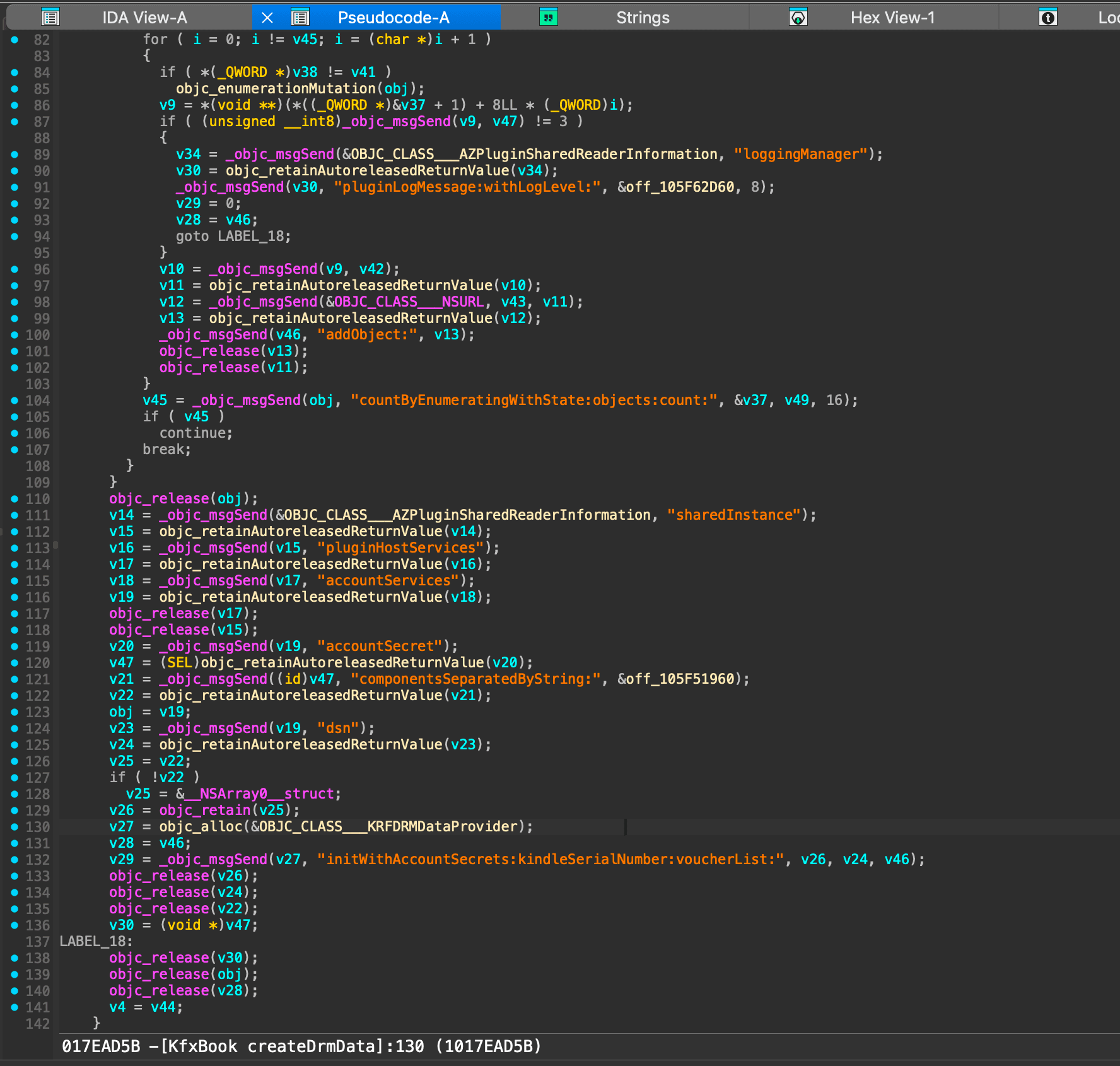
This code shows us that the voucher alone is likely not enough to decrypt the book. The decryption key is possibly derived from a combination of account secrets, a kindle serial number (DSN), and the voucher file. These are put into a KRFDRMDataProvider object.
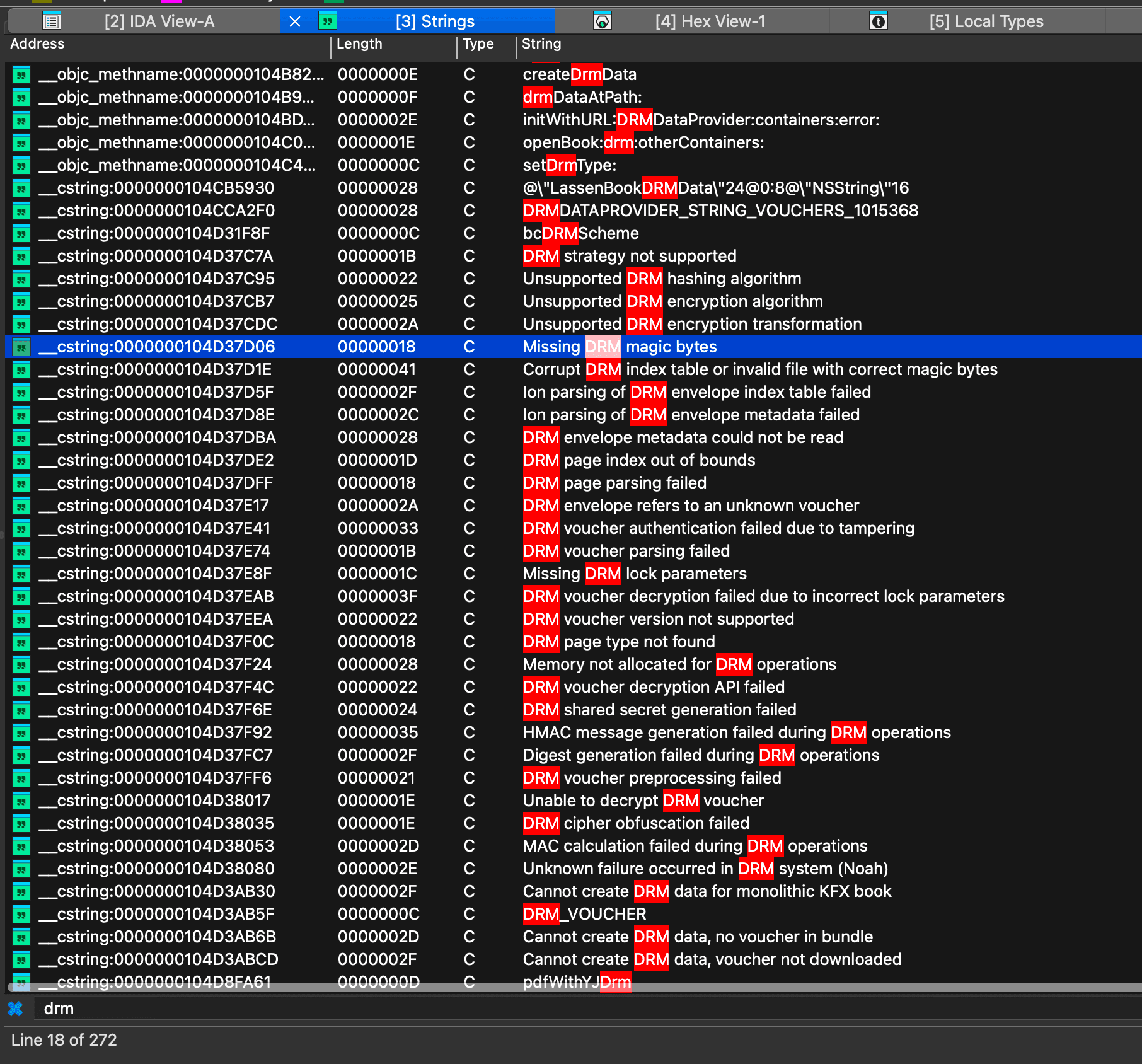
This might be enough to go on, but one thing I usually like to do is look for error cases related to the feature I’m analyzing. This can give us more clues about how it works and what the inputs are validated against. Going back to the Strings tab in IDA, we can search for DRM:
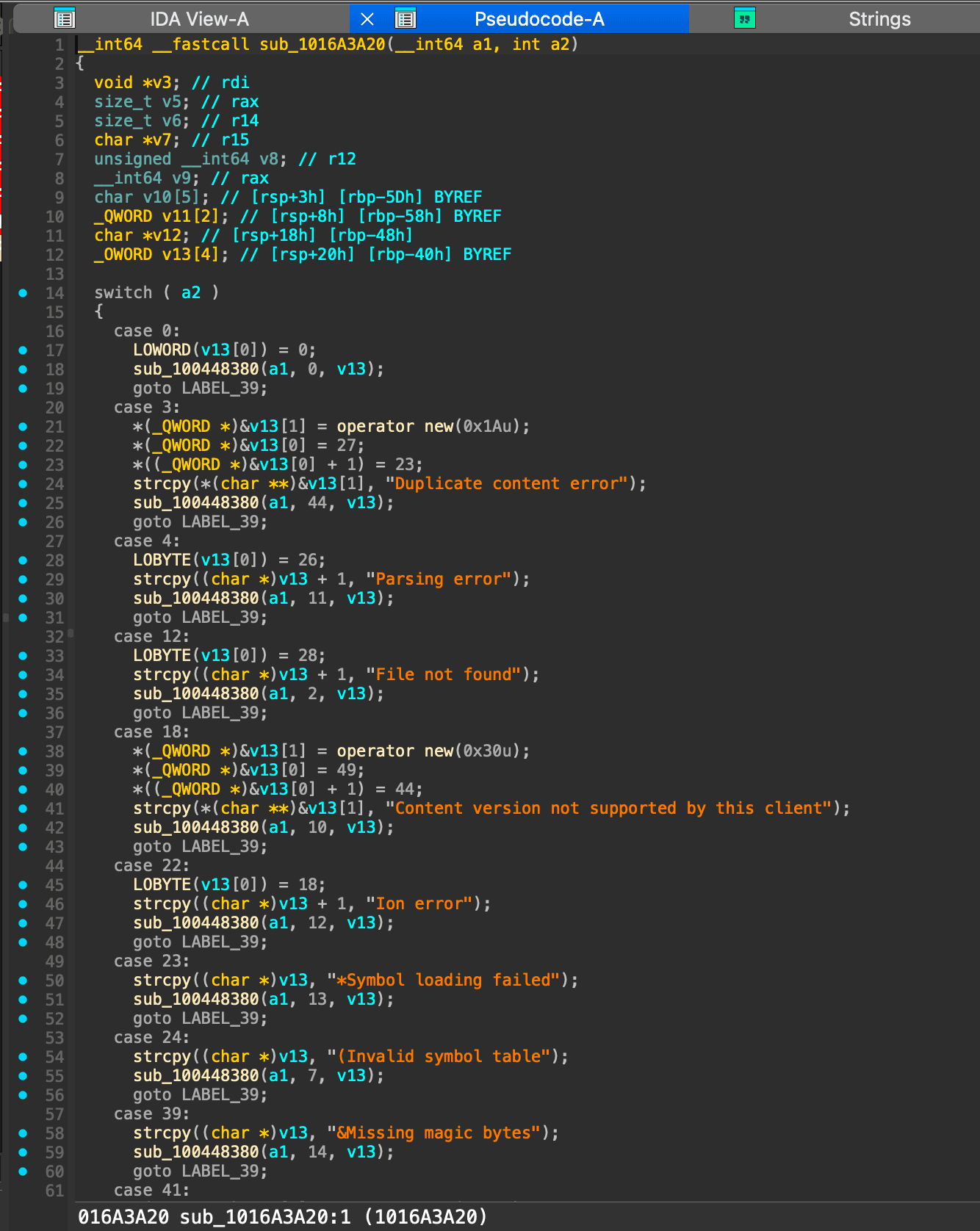
We are eventually brought to sub_1016A3A20 which shows a large switch statement in the decompiler:
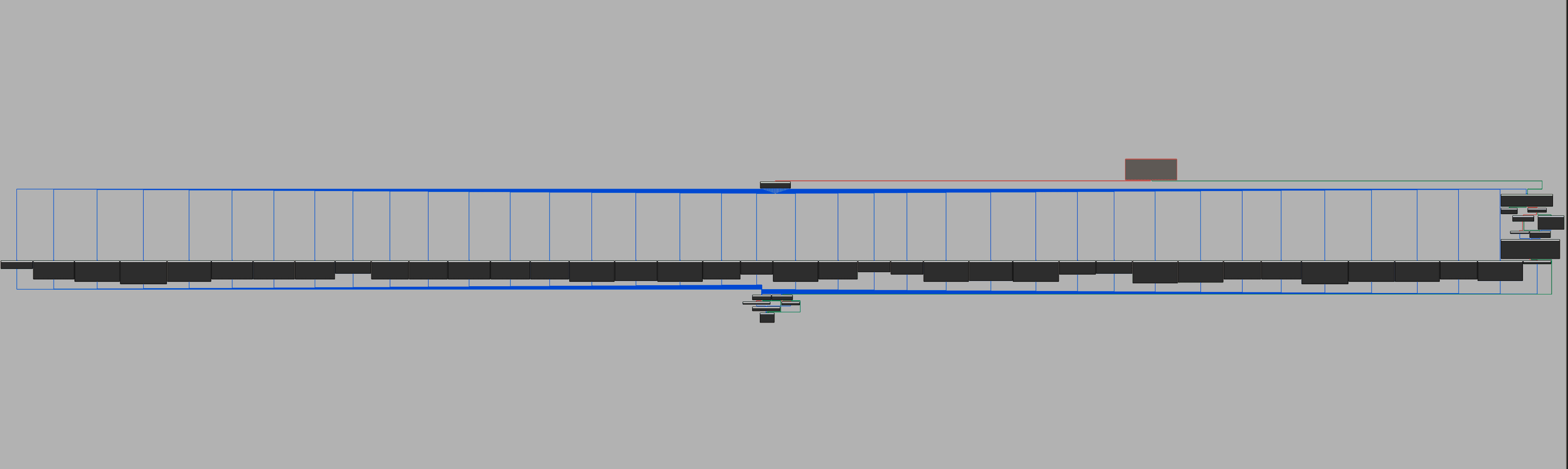
And to give you an idea of how large this function is, here is the graph view showing all 75 cases in the switch statement:
Reading the error messages in order shows us a “fail fast” approach to DRM validation. We see some specific error messages around HMAC validation, which match the voucher encryption metadata we saw before.
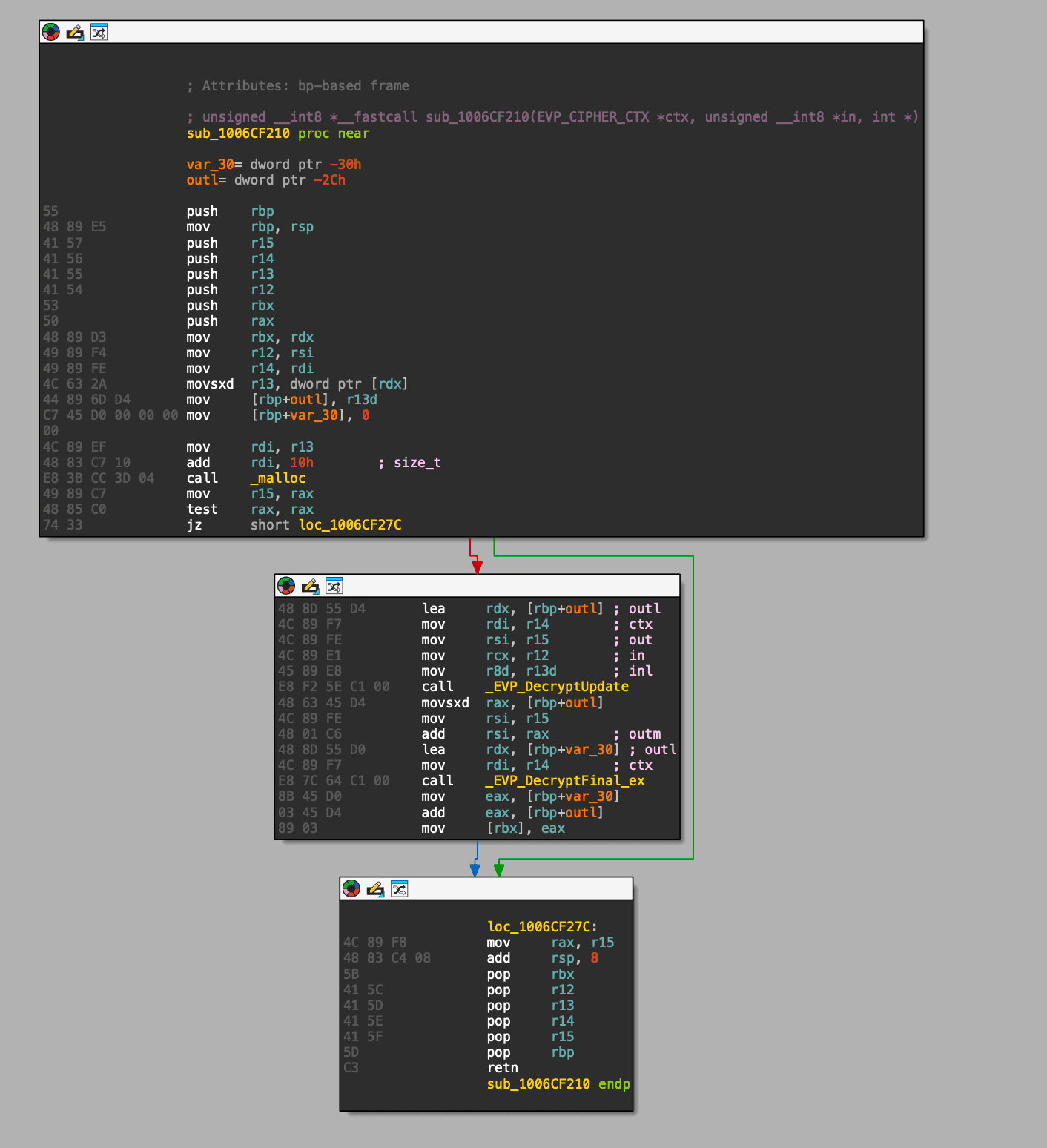
This vtable is installed by sub_1005A7710, but only in one branch: when the requested adapter type is 0x45. sub_1005A7710 is called from sub_1005D0320, a small state machine that caches a chunk of source bytes, builds the 0x45 adapter, calls it, then puts the result into a buffer that a callback in sub_1005CFAB0 later serves to the reader. This confirms that this AES function is the per-page content decryption we’ve been looking for.
sub_1005B75F0 unfortunately does not contain the key, and we’re starting to get into annoying vtable and callback functions… so this is a good time to switch to dynamic analysis.
Dynamic analysis
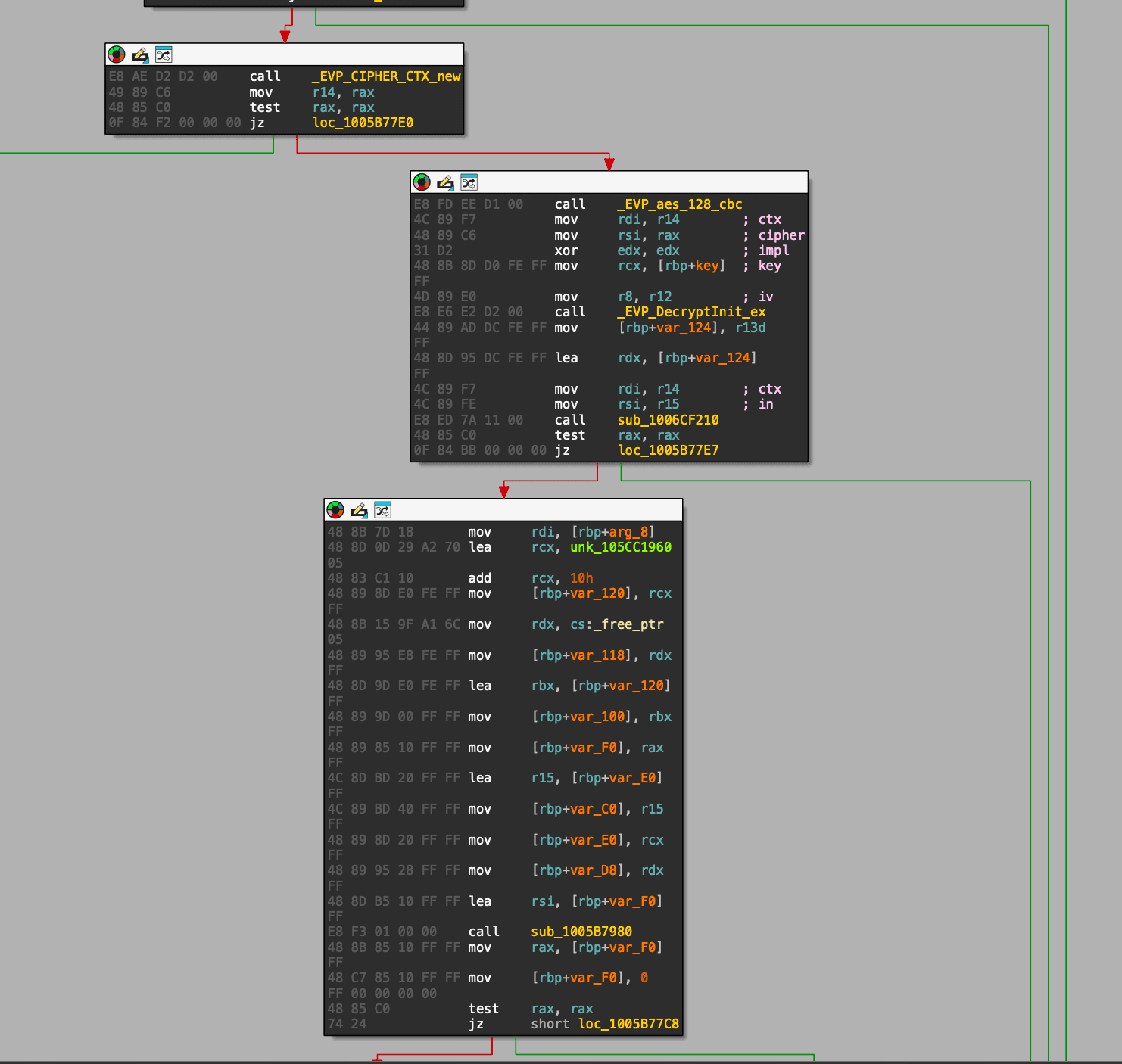
We know sub_1005B75F0 is where the AES work happens, but the easiest place to read the key in LLDB is the OpenSSL call inside that function: EVP_DecryptInit_ex.
On x86_64, the key and iv pointers are in rcx and r8.
Warning → I'm on Apple Silicon, so by default macOS runs the arm64 version of the Kindle app. Since I know x86_64 better, I forced the Kindle app to run under Rosetta so the running code matches the binary I analyzed.
To start the Kindle app in Rosetta, run the following command:
> memory read -s1 -fx -c16 $rcx   ; 16 bytes at key pointer in rcx
> memory read -s1 -fx -c16 $r8    ; 16 bytes at IV pointer in r8
> continue
> DONE
continue
I started paging through the book and the breakpoint fired almost immediately:
TEXT
0x600001e40d80: 36 d7 ec 5f fe 92 a7 3a f3 de c8 1b 29 9e 30 0a   ; memory at $rcx (key)
0x600001ef8330: 8a d8 06 43 fa d0 05 b2 db f7 02 90 67 c3 12 b0   ; memory at $r8 (iv)
The IV is useful to confirm you have the right decrypt, but each protected Ion record stores its own IV at sid::22 in the .azw8 / .azw9.res files, so in the end, capturing the IV here doesn’t really help us.
Here is a video of me showing this process on a random book:
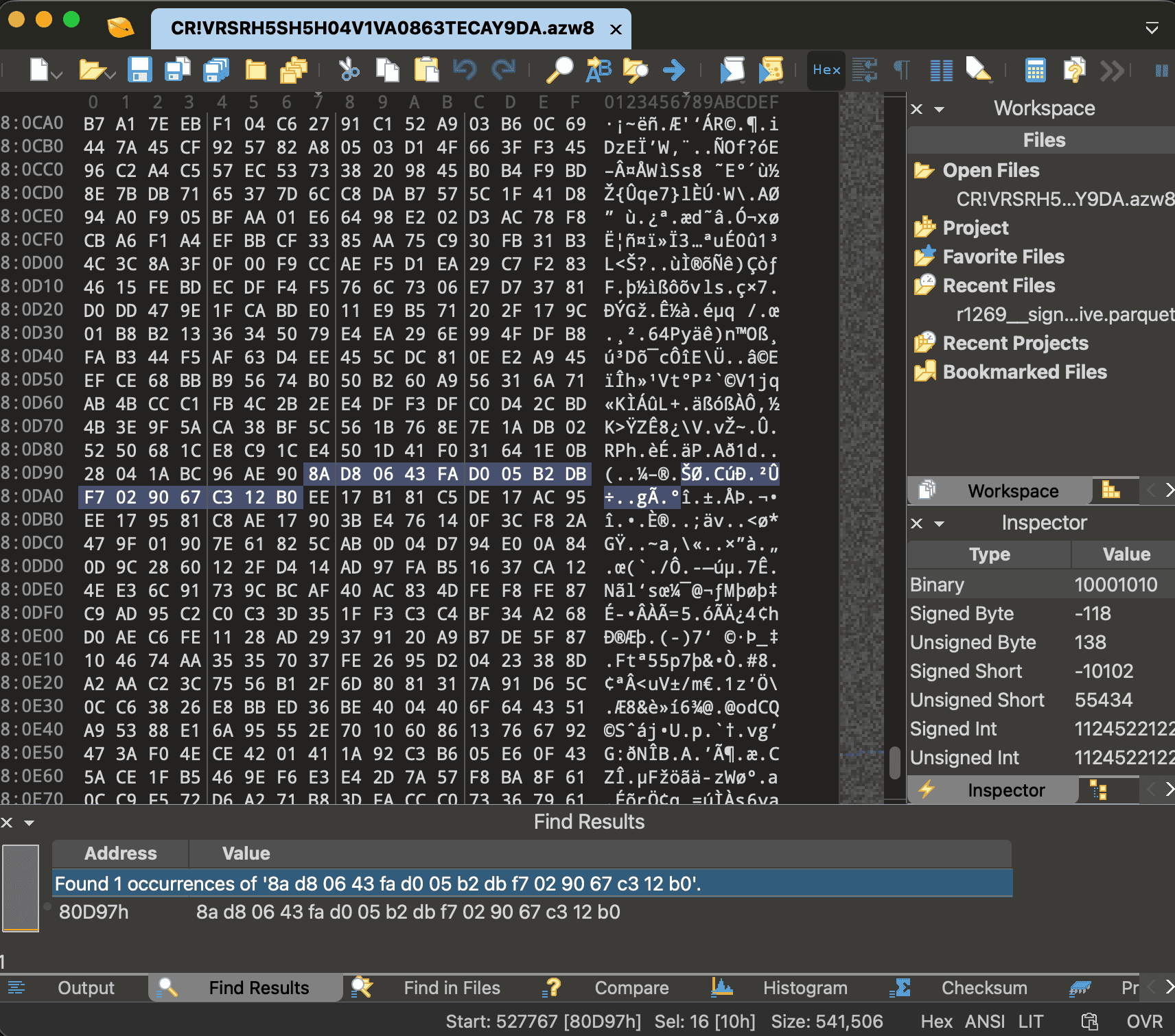
And as expected, the IV we captured from LLDB is found inside the protected Ion record for that page in the .azw8 file:
The annoying part: decoding the Ion format
Ion binary is a type-length-value format. Every value starts with a single byte that encodes both the type and the length.
We only need three types:
TEXT
0xD   struct       (a set of field-name -> value pairs)
0xE   annotation   (a value with one or more labels attached to it)
0xA   blob         (raw bytes)
And two encoding rules cover everything we’ll run into:
If the low nibble is 0xE, the real length didn’t fit in a nibble, so it’s stored in the next byte(s) as a variable-length integer. For small numbers that’s a single byte with its high bit set as a terminator, so you just mask it off: 0x90 & 0x7f = 0x10 = 16.
Larger integers use 7 bits per byte and set the high bit only on the final byte, so 06 e0 decodes as (0x06 << 7) | (0xe0 & 0x7f) = 864.
All of this is incredibly boring and tedious, and there are libraries out there that do this for you, but I wanted to understand the format well enough to be able to write my own parser.
Here are the first bytes of one protected record in the .azw8:
TEXT
00080a23: ee 07 81 81 c5 de 06 fc 95 ee 06 e5 81 c8 ae 06
00080a33: e0 b2 85 5c 76 ...
Applying the rules above, byte by byte:
TEXT
ee 07 81      annotation, length 897             (a label wrapping the whole record)
   81 c5         one label, symbol id 0x45 = 69    -> sid::69
de 06 fc      struct, length 892
   95            field name 0x95 -> mask -> 21     -> sid::21
   ee 06 e5      annotation, length 869
      81 c8         one label, symbol id 0x48 = 72 -> sid::72
   ae 06 e0      blob, length 864                  <- ciphertext
   b2 85 5c 76 ...   (the 864 ciphertext bytes)
And here are the bytes at the end of that same struct, where its second field lives:
TEXT
00080d90: 28 04 1a bc 96 ae 90 8a d8 06 43 fa d0 05 b2 db
00080da0: f7 02 90 67 c3 12 b0 ee
TEXT
... 28 04 1a bc     (last 4 bytes of the 864-byte ciphertext)
96               field name 0x96 -> mask -> 22    -> sid::22
ae 90            blob, length 16                   <- IV
8a d8 06 43 fa d0 05 b2 db f7 02 90 67 c3 12 b0    (the 16-byte IV)
ee               (start of the next record)
Two things are worth pausing on. First, the blob under sid::22 is exactly 8a d8 06 43 ..., which is the IV we captured at the breakpoint. The blob under sid::21 starts b2 85 5c 76 ..., which is the ciphertext we captured. The outer annotation label sid::69 is decimal 69 = 0x45 — the same adapter type we found in static analysis for the per-record AES decrypt path (sub_1005A7710 special-cases 0x45). Now we can know the exact structure of the record we’re looking at:
TEXT
sid::69 annotation
  struct
    sid::21 -> ciphertext (blob, length is always a multiple of 16)
    sid::22 -> 16-byte IV
I found amazon-ion will do most of this parsing for us, but there are a few caveats:
The .azw8 has a few junk bytes after the last real Ion value. ion.loads is eager, so it insists on consuming the entire buffer. It reads into that padding and throws IERR_UNEXPECTED_EOF. The fix is to parse the largest valid prefix instead of the whole file.
amazon-ion returns structs as an IonPyDict, which is not a dict subclass, so isinstance(x, dict) skips every struct. So we use hasattr(x, "items") instead.
The field names live in a private ProtectedData symbol table that isn’t in the file, so every field name comes back blank. That means we can’t ask the parser for “field 21”. We have to match records by a struct that contains a 16-byte blob (the IV) and a larger multiple-of-16 blob (the ciphertext).
Here is the full decoder script:
PYTHON
import amazon.ion.simpleion as ion
defload_ion_prefix(buf, max_trim=64):
last =Nonefor cut inrange(len(buf),len(buf)- max_trim,-1):try:return ion.loads(buf[:cut], single_value=False)except Exception as e:
last = e
raise last
defis_struct(o):returnhasattr(o,"items")andnotisinstance(o,(str,bytes,bytearray))deffind_records(o, out):if is_struct(o):
blobs =[bytes(v)for _, v in o.items()ifisinstance(v,(bytes,bytearray))]
iv =[x for x in blobs iflen(x)==16]
ct =[x for x in blobs iflen(x)>16andlen(x)%16==0]if iv and ct:
out.append((ct[0], iv[0]))# (ciphertext, iv)for _, v in o.items():
find_records(v, out)elifisinstance(o,(list,tuple)):for v in o:
find_records(v, out)
And running it over the .azw8 (skipping the DRMION header to the Ion version marker) gives us every encrypted record:
PYTHON
data =open("CR!VRSRH5SH5H04V1VA0863TECAY9DA.azw8","rb").read()
values = load_ion_prefix(data[data.find(b"\xe0\x01\x00\xea"):])
records =[]for v in values:
find_records(v, records)print(len(records),"records")# 185 records
Decrypting the book content
Now we have the records, we can decrypt them via AES-128-CBC with the captured key and each record’s own IV, then strip the PKCS#7 padding.
PYTHON
from cryptography.hazmat.primitives.ciphers import Cipher, algorithms, modes
from ion_decode import load_ion_prefix, find_records
KEY =bytes.fromhex("36d7ec5ffe92a73af3dec81b299e300a")
data =open("CR!VRSRH5SH5H04V1VA0863TECAY9DA.azw8","rb").read()
records =[]for v in load_ion_prefix(data[data.find(b"\xe0\x01\x00\xea"):]):
find_records(v, records)
plaintexts =[]for ct, iv in records:
d = Cipher(algorithms.AES(KEY), modes.CBC(iv)).decryptor()
pt = d.update(ct)+ d.finalize()
pt = pt[:-pt[-1]]# strip PKCS#7 padding
plaintexts.append(pt)print(len(plaintexts),"records decrypted")# 185 records decryptedprint("first 16 bytes:", plaintexts[0][:16].hex())# first 16 bytes: 005d0000400000280000000000000000
The fact that the padding strips cleanly on every record means that the key is correct, but we still don’t have plaintext yet. That 00 5d 00 00 40 00 ... header shows 5d which is a LZMA compression mode.
Now we’re left with a better understanding of the structure:
Only the first record starts with CONT; the rest are continuations of one larger container. So we expand every record and stitch them together in order:
After AES decryption and LZMA decompression, the 185 protected records reassemble into a single ~1.9 MB CONT container.
Putting it all together
CONT is a container that contains a header, a directory of fixed-size entries, and a list of ENTY chunks that hold the actual content as embedded Ion structs. The header stores the payload base at bytes 6–7, and each 24-byte directory entry holds a relative ENTY offset and length (both little-endian, shifted left by 16 bits):
PYTHON
data =open("book.cont","rb").read()
base =int.from_bytes(data[6:8],"little")
pos, entries =16,[]while pos +24<=len(data):
rel =int.from_bytes(data[pos +8: pos +16],"little")>>16
ln =int.from_bytes(data[pos +16: pos +24],"little")>>16
off = base + rel
if ln ==0or data[off:off +4]!=b"ENTY":break
entries.append((off, ln))
pos +=24print(len(entries),"ENTY records")# 1299 ENTY records
Each ENTY is a 10-byte header followed by more embedded Ion, and the visible book text lives in those structs.
PYTHON
import re
for s in re.findall(rb"[\x20-\x7e]{5,}", data)[:8]:print(s.decode())# Quantum Markets# Physical Theory of# Market Microstructure# Jack Sarkissian# Contents# PART I. PRICE FORMATION MECHANISM# ...
We finally have some plaintext from the book. But plaintext is not enough! The ENTY format also contains layout information and information about resources such as images, annotations, footnotes, etc.
Creating the final EPUB
The .azw8 file gives us the text, but the figures, images, equations, and page-faithful layout metadata aren’t there, they live in the three .azw9.res files. These are also DRMION files with the same sid::21/sid::22 record shape, and the AES key works on these, too. Decoded and reassembled the same way, their CONT containers embedded PDF-1.7 files: 11 PDFs, 219 pages total.
Rendering those PDF pages to images and wrapping them in a fixed-layout EPUB gives a visually faithful copy of the book.
I generated the EPUB, sent it to my Kindle. Now I have the Kindle book that I bought on my Kindle that I can actually finally read on my Kindle.