

The first native port of Notepad++ to macOS. A full port of the original Notepad++ codebase — not a rewrite, not an alternative, not Wine.

Website · Download · Plugins · Help · Releases




Notepad++ for macOS brings the beloved Windows code editor to Apple's desktop platform as a fully native Mac application. This is the actual Notepad++ codebase ported to run natively on macOS — built from source in Objective-C++, using platform-native APIs, with no compatibility layer in between.
- ✅ Native macOS app — no Wine, Porting Kit, CrossOver, or emulation
- ✅ Universal Binary — runs natively on Apple Silicon (M1–M5) and Intel
- ✅ Apple-notarized — ships signed and approved for macOS Gatekeeper
- ✅ Free and open source — GPL-3.0, no ads, no subscriptions, no telemetry
- ✅ Full feature parity — syntax highlighting, plugins, macros, find-in-files, regex, split view, document map, and more
The goal is not just to make Notepad++ "run" on Mac — it's to make it feel like it belongs there, with native menus, shortcuts, file dialogs, dark mode, and system integration.
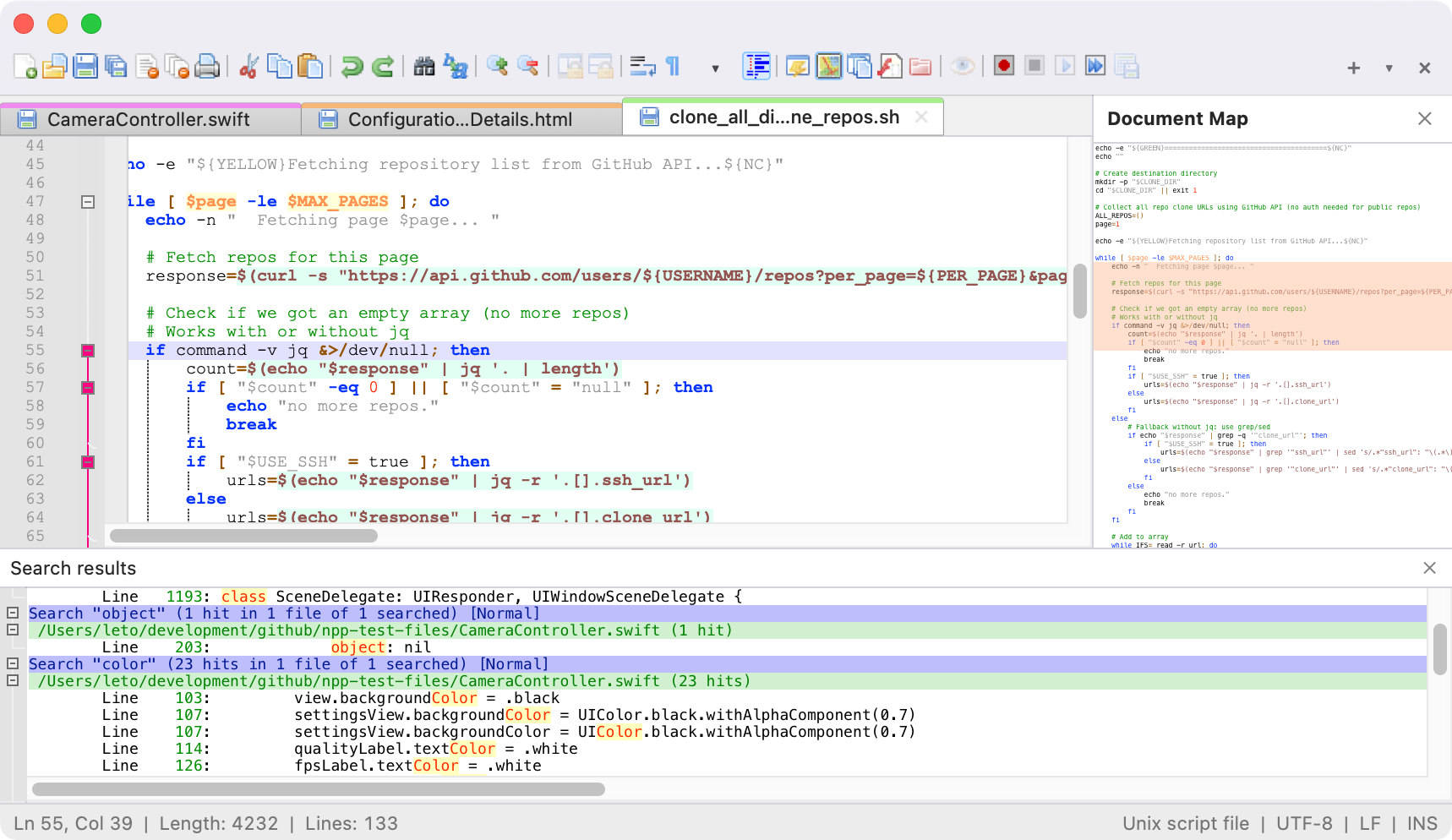
Light mode with syntax highlighting and document map
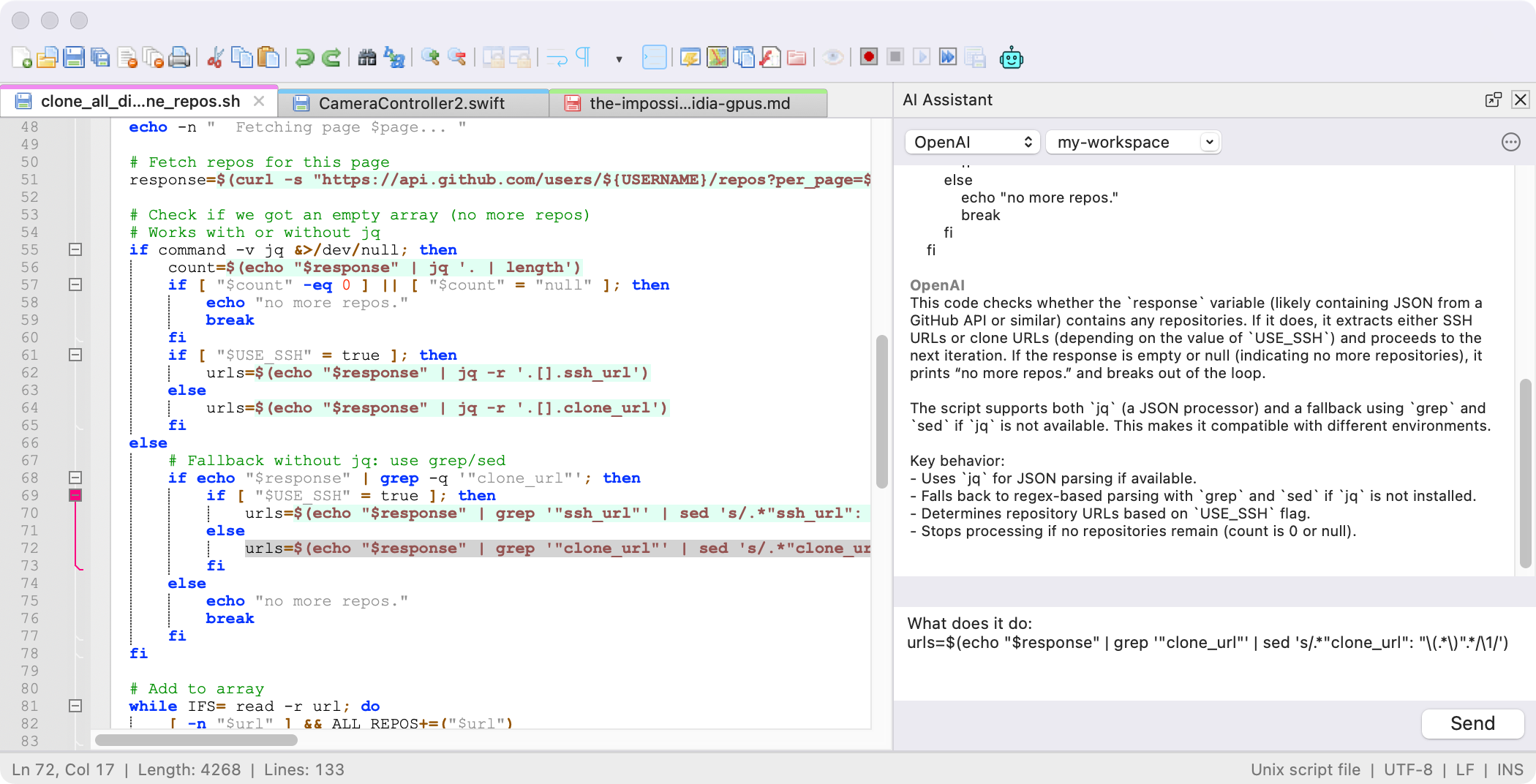
Dark mode, native macOS title bar
Get the latest build from notepad-plus-plus-mac.org/download or directly from GitHub Releases.
The download is a signed, notarized .dmg:
- Open the downloaded
.dmg - Drag Notepad++ to your Applications folder
- Launch from Applications or Spotlight
| Operating System | macOS 11 (Big Sur) or later |
| Processor | Apple Silicon (M1/M2/M3/M4/M5) or Intel |
| Disk Space | ~50 MB |
| Memory | 4 GB RAM minimum |
- Syntax highlighting for 80+ programming languages, with customizable color themes and user-defined languages
- Plugin system with a native Plugin Admin — ~50 plugins already ported, with all ~140 expected by end of April 2026
- Scintilla-based editing component with code folding
- Multi-document tabbed editing
- Split view — view and edit two documents side by side or two parts of the same document
- Powerful search: regular expressions, find-in-files, bookmark lines, incremental search
- Macro recording to automate repetitive editing tasks
- Native macOS UI: menus, dialogs, keyboard shortcuts, dark mode following system preferences
- 137-language UI out of the box
- Document map, character panel, clipboard history, column editor, command palette
- Scintilla as the editing engine — battle-tested, high-performance, the same component powering the Windows version
Yes. This is the actual Notepad++ codebase ported to run natively on macOS. It is not an alternative, a knockoff, a Wine wrapper, or a new editor that imitates Notepad++. It's Notepad++.
No. None of those. Notepad++ for macOS is a full native port of the original Windows codebase. It runs as a first-class native macOS application using platform APIs directly.
Yes. Notepad++ for macOS is built as a Universal Binary with native ARM64 support. It runs at full speed on all Apple Silicon Macs without Rosetta translation.
Yes. Completely free and open source under the GPL-3.0 license. No ads, no subscriptions, no in-app purchases, no telemetry.
Plugins are being incrementally ported from Windows. About 50 plugins are already ported and working on macOS, with the full set (~140) expected by the end of April 2026. See the plugin compatibility page for current status.
This project is written in C++ and Objective-C++ and uses CMake as its build system. Source code lives in src/, and platform-native UI code uses .mm files (Objective-C++).
Build instructions will be published as the macOS build pipeline matures. For now, the easiest way to use Notepad++ on macOS is to download the signed .dmg release.
Bug reports, feedback, and contributions are welcome. For:
- Bug reports and feature requests — please open an issue
- Code contributions — submit a pull request against
main - Plugin porting — see the plugin registry
Notepad++ for macOS is distributed under the GNU General Public License v3.0, matching the license of the original Notepad++ project.
- Don Ho — original author and principal developer of Notepad++. For over two decades, Don has maintained Notepad++ as a free, open-source project loved by millions of developers. This macOS port is built directly upon his extraordinary work and the Notepad++ codebase, and would not exist without him.
- Andrey Letov — developer of the macOS port (aletik.me, GitHub).
- Scintilla — the editing component that powers both Windows and macOS versions.
- 🌐 Website: https://notepad-plus-plus-mac.org
- 📥 Download: https://notepad-plus-plus-mac.org/download/
- 🔌 Plugins: https://notepad-plus-plus-mac.org/plugins/
- 📖 Documentation: https://notepad-plus-plus-mac.org/online-help/
- 🐛 Issues: https://github.com/notepad-plus-plus-mac/notepad-plus-plus-macos/issues
- 💬 Original Notepad++ Community: https://community.notepad-plus-plus.org/
- 💖 Donate: https://notepad-plus-plus-mac.org/donate/
Made with care for Mac users who have waited 20 years for this.


