
The ASUS ROG Strix XG27ACS is a budget-friendly 27-inch, 1440p gaming monitor. It sits alongside a sibling variant, the XG27ACS-W, with the only difference between the two being the color of their materials. As part of the ROG Strix gaming lineup, it competes against other entry-level 1440p monitors like the Dell G2724D and the LG 27GP850-B/27GP83B-B. It has features you'd expect to find in a gaming display, like a 180Hz refresh rate and VRR support. It also comes with ELMB-Sync technology to enable backlight strobing at the same time as VRR, and it has Dynamic Crosshair, Dynamic Shadow Boost, and Variable Overdrive features to help your gaming experience. It offers some connectivity options, including a USB-C port with DisplayPort Alt Mode, but with limited power delivery.
Our Verdict
The ASUS ROG Strix XG27ACS is decent for PC gaming. Its 180Hz refresh rate is good enough for most casual gamers but not for competitive gamers. Luckily, it supports all common VRR formats to reduce screen tearing, motion looks sharp across its refresh rate range, and it has low input lag for a responsive feel. It even has ELMB backlight strobing, but it creates image duplication. Also, it has limited picture quality, as it has a low contrast ratio without a local dimming feature. Blacks look gray in dark rooms, and highlights don't pop in HDR either.
Supports all common VRR formats.
Fast response time.
Low input lag.
Some inverse ghosting at lower refresh rates.
Low contrast and no local dimming.
Highlights don't pop in HDR.
The ASUS ROG Strix XG27ACS is okay for console gaming. Although it lacks HDMI 2.1 bandwidth to take full advantage of the PS5 and Xbox Series X|S, it still works well with either console. Motion looks sharp, and it has low input lag for a responsive feel. Unfortunately, though, it fails to deliver realistic and vivid images as highlights don't pop in HDR, and it lacks a local dimming feature to help it display deep blacks.
Fast response time.
Low input lag.
No obvious issues with PS5 or Xbox Series X|S.
Some inverse ghosting at lower refresh rates.
Low contrast and no local dimming.
Lack of HDMI 2.1 bandwidth.
The ASUS ROG Strix XG27ACS is good for office use. It has good text clarity and is a great choice if you want to use it in a well-lit room, as it gets bright enough to fight glare and has decent reflection handling. It's also useful if you need to share your screen with someone else, thanks to its wide viewing angles and versatile ergonomics. While it has a USB-C port with DisplayPort Alt Mode to connect your laptop, it has limited power delivery, so your laptop won't charge, and it doesn't have other USB ports to connect extra devices.
Bright enough to fight glare.
Decent reflection handling.
Fantastic ergonomics.
Sharp text clarity.
USB-C port with DisplayPort Alt Mode.
No other USB ports.
Limited power delivery over USB-C.
The ASUS ROG Strix XG27ACS is good for editing. It comes with an incredibly accurate sRGB mode that you won't need to calibrate for content creation, and this accurate image remains consistent no matter where you view it from, thanks to its wide viewing angles. It also gets bright enough to fight glare and has decent reflection handling, which is ideal if you want to use it in a well-lit room. However, it performs worse in dark rooms, as it has a low contrast ratio and lacks a local dimming feature. It doesn't get bright enough to make highlights pop in HDR, which is disappointing for editing HDR content.
Bright enough to fight glare.
Fantastic ergonomics.
USB-C port with DisplayPort Alt Mode.
Incredibly accurate sRGB mode.
Low contrast and no local dimming.
Highlights don't pop in HDR.
Limited power delivery over USB-C.
The ASUS XG27ACS has decent brightness. It gets bright enough to fight glare in a well-lit room, but highlights don't pop in HDR.
Bright enough to fight glare.
Highlights don't pop in HDR.
The ASUS XG27ACS has a great response time. The motion handling is sharp across its refresh rate range, but there's a bit of inverse ghosting, particularly at lower refresh rates.
Fast response time.
Some inverse ghosting at lower refresh rates.
The ASUS XG27ACS has poor HDR picture quality. Blacks look gray, and it lacks a local dimming feature to further improve the contrast. Colors don't look vivid, either.
Low contrast and no local dimming.
Colors aren't vivid.
The ASUS XG27ACS has decent SDR picture quality. The main advantage is that it displays a wide range of colors, but blacks look gray due to its low contrast.
Displays wide range of colors.
Low contrast and no local dimming.
The ASUS XG27ACS has incredible color accuracy. The dedicated sRGB mode is extremely accurate, and you won't need to calibrate it unless you want access to settings that are locked out in the sRGB mode.
Incredibly accurate sRGB mode.
Performance Usages
Changelog
- Updated Mar 17, 2026: We've converted this review to Test Bench 2.1.2. We added a new Panel Technology box, including the Spectral Power Distribution (SPD) graph.
- Updated Feb 18, 2026:
We added that the LG 27G610A-B is another 1440p option with a higher refresh rate.
- Updated Nov 10, 2025: We've converted this review to Test Bench 2.1.1. We removed the Vertical Viewing Angle test.
- Updated Jul 21, 2025:
Added that the Dell Alienware AW3225DM has a larger display.
Check Price
Differences Between Sizes And Variants
We tested the 27-inch ASUS ROG Strix XG27ACS in black, and it's only available in this size. The XG27ACS-W is also available, which is the same monitor but with a white body, so the results are valid for both models. The ROG Strix lineup includes other 27-inch, 1440p monitors with IPS panels that are similar but have a few differences, which you can see below.
| Model | Max Refresh Rate | Body Color | RGB Lighting |
|---|---|---|---|
| XG27ACS | 180Hz | Black | No |
| XG27ACS-W | 180Hz | White | No |
| XG27ACG | 180Hz | Black | Yes |
| XG27ACMG | 270Hz | Black | Yes |
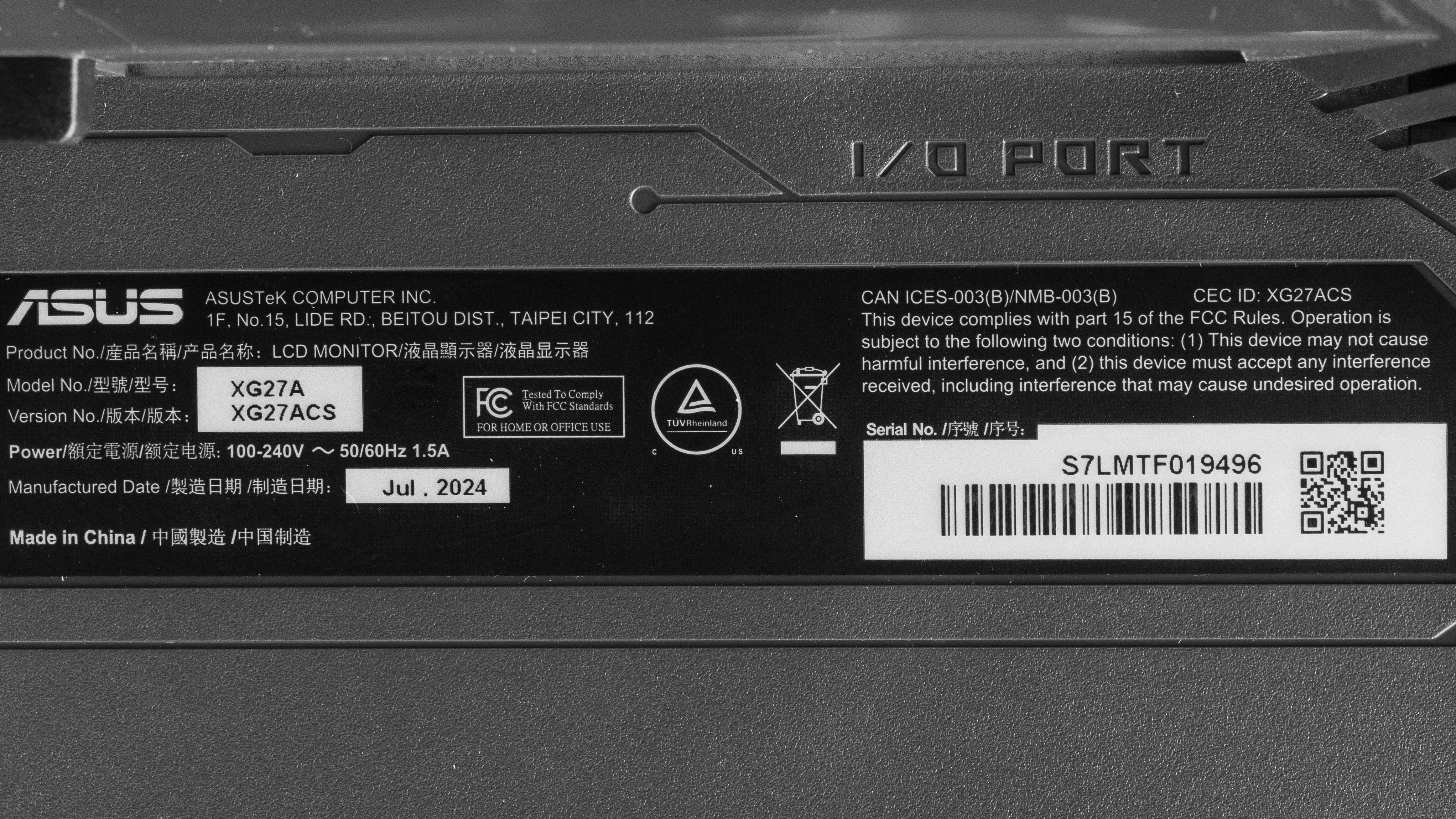
Our unit's label indicates that it was manufactured in July 2024. We tested it with firmware MCM101.
Popular Monitor Comparisons
The ASUS ROG Strix XG27ACS is a budget-friendly 1440p gaming monitor. It has a 180Hz refresh rate with gaming-oriented features like VRR support and ELMB-SYNC to reduce persistence blur. It competes against other models with similar specs in the same price range, like the Dell G2724D and the LG 27GP850-B/27GP83B-B. It's a good choice if you want an entry-level model with a few advantages like the USB-C port and sharp motion handling. However, it has limited HDR picture quality, and there are some other models in the same price range that are better for HDR gaming, like the AOC Q27G3XMN.
Also, see our recommendations for the best gaming monitors under $300, the best budget and cheap gaming monitors, and the best 1440p 144Hz monitors.
The Dell Alienware AW2725DM and the ASUS ROG Strix XG27ACS are competing entry-level 1440p gaming monitors. They share many similarities, including their 180Hz refresh rates. There are some differences, though, as the ASUS has better motion handling with VRR. The ASUS is also more accurate before any sort of calibration. They each have a USB hub, with the Dell having two USB-A ports, and the ASUS having a USB-C port with DisplayPort Alt Mode to quickly connect a laptop.
The AOC Q27G3XMN and the ASUS ROG Strix XG27ACS are both budget-friendly 1440p gaming monitors with a 180Hz refresh rate. The biggest difference between the two is the fact that the AOC has Mini LED backlighting with a good local dimming feature. This means the AOC is the better choice if you want something for HDR gaming. On the other hand, the ASUS is the better choice if you need to often share your screen with someone else thanks to its wide viewing angles.
The ASUS ROG Strix XG27ACS and the Samsung Odyssey G50D S27DG50 are both entry-level 1440p gaming monitors. They have similar specs, including their 180Hz refresh rates, but the ASUS is slightly better for gaming. It has better motion handling and a backlight strobing feature to reduce persistence blur. Overall, however, the two monitors are very similar.
The LG 27GP850-B/27GP83B-B and the ASUS ROG Strix XG27ACS are both budget-friendly 1440p gaming monitors with a 180Hz refresh rate. They perform very similarly, but the ASUS has a few extra perks, like better ergonomics and a USB-C port with DisplayPort Alt Mode. Although they both have backlight strobing features, the ASUS supports ELMB-SYNC for it to work at the same time as VRR.

We buy and test more than 30 monitors each year, all of which we purchase ourselves, without cherry-picked units or samples. We put a lot into each unbiased, straight-to-the-point review, and there's a whole process from purchasing to publishing, involving multiple teams and people. We do more than just use the monitor for a week; we use specialized, custom tools to measure various aspects and deliver objective, data-driven results. We also consider multiple factors before making any recommendations, including the monitor's cost, its performance compared to the competition, and whether it's easy to find.
Test Results


for pictures & test results


for pictures & test results


for pictures & test results

for pictures & test results

for pictures & test results

for pictures & test results

for pictures & test results

for pictures & test results


for videos & test results

for pictures & test results

for pictures & test results

for pictures & test results


for pictures & test results


Comments
ASUS ROG Strix XG27ACS: Main Discussion
Track
Let us know why you want us to review the product here, or encourage others to vote for this product. Comments transferred from merged discussions are also included.
Update: We’ve converted this review to Test Bench 2.1.2. We added a new Panel Technology box, including the Spectral Power Distribution (SPD) graph.
Mine was made in 2025 June, perhaps it is variation by country as most of the threads I see online come from outside of NA.
I k now what I bought. It IS ACS.
Are you sure it was the acs or acg, cause there are 2 variants. And I purchased mine in India and it was every present same complaint for many other users in different countries.
I bought another unit several weeks ago and it has no yellow screen. It was manufactured late 2025 and has newer firmware too. My original unit was manufactured in 2024 and also had no yellow screen.
Tons on reddit, I myself got it and returned it for that issue, the panel is completely different than reviewers orginally got. https://www.reddit.com/r/Monitors/s/ziUMMKK31Y is a good one. But there are some more extreme ones.
Hi, we aren’t aware of this, are there any threads online talking about this?
You guys to need address the panel switch in this monitor because it is completely different, especially color accuracy, plus the stupid yellow tint.
Hi there! You are right. In the Pre-Calibration test, we kept the ColorSpace set to Wide Gamut and only changed the GameVisual to sRGB Mode. Using the ColorSpace should give you similar coverage as the setting in the GameVisual. As for the LFC, it all depends on your graphics card. With our testing PC (using an NVIDIA 4080) we found the LFC to kick in at around 55Hz. But this will all depend on your setup so you might experience something different from us. You can try using the 2 different sRGB settings and use the one that looks the best to your usage! Hope this helps!
We perform all our testing in 10-bit mode. All the settings used can be seen in the Color Accuracy (Post-Calibration) box. As for the VRR results, it should not have more flickering at 8-bit compared to 10-bit. You might see more banding in 8-bit compared to 10-bit (which is to be expected) but other than that, you should not have much of a difference in performance.
Color Accuracy (Pre-Calibration) In this section, you tested the sRGB mode in GameVisual, and in the ColorSpace section I assume it was set to the factory default. Did you test if there’s an advantage to using ColorSpace: sRGB?
The minimum VRR range is 20Hz, as far as I understand. Do you think it’s relevant to specify the refresh rate (Hz) at which the monitor starts activating LFC?
Thank you so much for the review, your work is always helpful.
I already have this monitor and I’ve only seen benefits compared to my last one; I use it for gaming and streaming. And sometimes I print some photos for the family. lol
Did you perform the VRR flicker test at 180 Hz in 8-bit or 10-bit mode? Also, which mode was used for most of your testing on this monitor?
I’m asking because my GTX 1080 Ti supports DisplayPort 1.4 but does not support DSC, so I won’t be able to run it at 180 Hz in 10-bit mode. I’d like to confirm that the monitor, VRR (G-SYNC) in particular, will still function properly without flickering, just like in your test results.
Since I don’t plan to use HDR, am I correct in assuming that running it in 8-bit mode won’t affect anything (SDR content quality/colors/etc)?
Hi, all settings we used for testing are in the Brightness and Color Accuracy boxes. If we don’t mention something, it’s because we’ve left it at its default. You can also learn how to adjust your monitor’s settings.
Hello, could you please share your monitor picture settings? I don’t have a calibration device. Thanks in advance.
Has anyone tried the XG27ACG yet? I am tempted.