







The Open Build Service (OBS) is a generic system to build and distribute binary packages from sources in an automatic, consistent, and reproducible way. You can release packages as well as updates, add-ons, appliances, and entire distributions for a wide range of operating systems and hardware architectures. More information can be found on openbuildservice.org.
The OBS consists of a backend and a frontend. The backend implements all the core functionality (i.e. building packages). The frontend provides a web application and XML API for interacting with the backend. Additionally, there is a command line client (osc) for the API which is developed in a separate repository.
The Open Build Service is Free Software and is released under the terms of the GPL, except where noted. Additionally, 3rd-party content (like, but not exclusively, the webui icon theme) may be released under a different license. Please check the respective files for details.
You can discuss with the OBS Team via IRC on the channel #opensuse-buildservice or you can use our mailing list opensuse-buildservice@opensuse.org. Please refer to the openSUSE Mailing Lists page to learn about our mailing list subscription and additional information.
If you want to contribute to the OBS, please checkout our contribution readme:-)
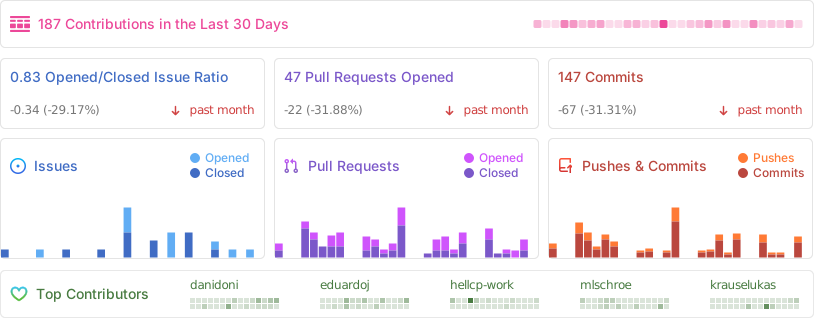
The OBS source code repository is hosted on Github and organized like this:
dist Files relevant for our distribution packages
docs Documentation, examples and schema files
src/api Rails app (Ruby on Rails)
src/backend Backend code (Perl)
To run the OBS in production, we recommend using our appliance which is the whole package: A recent and stable Linux Operating System (openSUSE) bundled and pre-configured with all the server and OBS components you need to get going.
If that is not for you because you have some special needs for your setup (e.g. different partition schema, SLES as base system, etc.), you can also install our packages and run a setup wizard. The docker compose setup is meant only for development.
After finishing the installation of your base system, follow these steps:
-
Add the OBS software repository with zypper. Please be aware, that the needed URL differs, depending on your Base Operating System. We use openSUSE Leap 15.4 in this example.
zypper ar -f https://download.opensuse.org/repositories/OBS:/Server:/2.10/15.4/OBS:Server:2.10.repo
-
Install the package
zypper in -t pattern OBS_Server -
Run our setup wizard
/usr/lib/obs/server/setup-appliance.sh --force
If you have a more complex setup (e.g. a distributed backend), we recommend to read the High-level Overview chapter in our Administrator Guide.


![@depfu[bot]](data:image/webp;base64,UklGRloGAABXRUJQVlA4WAoAAAAoAAAAPwAAPwAASUNDUOABAAAAAAHgbGNtcwQgAABtbnRyUkdCIFhZWiAH4gADABQACQAOAB1hY3NwTVNGVAAAAABzYXdzY3RybAAAAAAAAAAAAAAAAAAA9tYAAQAAAADTLWhhbmR56b9WWj4BtoMjhVVG90+qAAAAAAAAAAAAAAAAAAAAAAAAAAAAAAAAAAAAAAAAAApkZXNjAAAA/AAAACRjcHJ0AAABIAAAACJ3dHB0AAABRAAAABRjaGFkAAABWAAAACxyWFlaAAABhAAAABRnWFlaAAABmAAAABRiWFlaAAABrAAAABRyVFJDAAABwAAAACBnVFJDAAABwAAAACBiVFJDAAABwAAAACBtbHVjAAAAAAAAAAEAAAAMZW5VUwAAAAgAAAAcAHMAUgBHAEJtbHVjAAAAAAAAAAEAAAAMZW5VUwAAAAYAAAAcAEMAQwAwAABYWVogAAAAAAAA9tYAAQAAAADTLXNmMzIAAAAAAAEMPwAABd3///MmAAAHkAAA/ZL///uh///9ogAAA9wAAMBxWFlaIAAAAAAAAG+gAAA48gAAA49YWVogAAAAAAAAYpYAALeJAAAY2lhZWiAAAAAAAAAkoAAAD4UAALbEcGFyYQAAAAAAAwAAAAJmaQAA8qcAAA1ZAAAT0AAACltWUDggkgMAAFAUAJ0BKkAAQAA+bS6SRiQioaEoG/34gA2JbADPYa69XjDbE5j5wHiO9KLzAfrF/sf7lwgH7LdZh6AH7AemH+wHwY/sf+0fszZoB/JepXz+nmRId9euorTAP43jP+IDSBTpX8b4oPy3++/+L3A/1f9ID2M+ih+2aUD7YuQSBCm1hcsz95qg9oBmYVRVBZ6Txl5kSn+Ps625zVJgm7oi4l0sH5WzZJ8rqh0WGAD++1Xj/1dt/+rtv/1dt/qdP1q1a3WbhJmufitz/znBP8diYhFUbpnRjvuz3K86/jd7a+sSbnZpgMa9QZPU/GPiA/XSh7Zv+I5//pUSfDBaFGVj+9ToyjY9yunDXjfx2faX2UwLN6E4HIQUc0LnsBeZcd+bfFKVBgq4thNs5XFhCjJ6w/l6QgpYg6s3ccc42wOKZe6RPecomvc3uJZNMKAwqZvEh7U6+IByKo5uzbrp4DxV+xRPmvBY/JfBjdGKqnQSP+3RIpNHTZB7n4HQYKXiZ87seH9qrblxsHhdQ0unb3PTwQa86OflSOlT4jsvOHfND1+ckE7bDcxzrGd/N7jgoVSc4R/7XY6uOGlDW0H04Yfb4C2Idm/FDEb95/KpVlEh2McVPp2hWHTtNhkeHDUGDBjMHyBo//9ASRZH2fqWT5s/+4hjnRCnYdVw0lLOWEgJfbh2ZkA/0nVK9j805lv2Xf/r/+OyULHxFIGFZZDtmIjLc7uOfz7+mPqjFfTaXJPxn7Rq/ihvINUCWjpdhuCfusn23qDam7Wiu3HAv3Io3+UlDc3nJslBpedfDYPQVW2hcgUTXOskzI8hORlzOGVwdWyiSUbAAQ1911HGGNLrPMW7M6i8qzogiyREEhGgFXcAsK3O2bYTAwlSvTaKDWDTC1k6pYJIBAOs21j37NkPxTn2Ew3kpF1Gxup3F9wPRz/dktN1IG2u/NUZ/ontMPWsbwNhwD/vmXehJFFyP8k6OWoTq098qsJtfidiuCquxirisFWgeOfmiJwyGOrfzcKI9HhTxWsBDnZ9w/OE8oFraebnfuTpe2uHCEHaQZzevzXQSd/eYv3ejiF1Y2j26eaQeWwKDAJu50n4zmV5dvT//Vl6RYJc9JmlN2UTRltPEoOcNLg761/NhjCkURGK/liEG3fNjBAvz3PlpwW3VBg8YWtsf3A+arz5HW4juj2qK/v0OvFp31v1AlObl+vB3sg8ed01AAAARVhJRroAAABFeGlmAABJSSoACAAAAAYAEgEDAAEAAAABAAAAGgEFAAEAAABWAAAAGwEFAAEAAABeAAAAKAEDAAEAAAACAAAAEwIDAAEAAAABAAAAaYcEAAEAAABmAAAAAAAAAEgAAAABAAAASAAAAAEAAAAGAACQBwAEAAAAMDIxMAGRBwAEAAAAAQIDAACgBwAEAAAAMDEwMAGgAwABAAAA//8AAAKgBAABAAAAQAAAAAOgBAABAAAAQAAAAAAAAAA=)


