
The ASUS ROG Strix OLED XG27AQWMG is a 27-inch, 1440p OLED gaming monitor with a 280Hz refresh rate. It's an updated model of the ASUS ROG Strix OLED XG27AQDMG, using the newer Tandem OLED panel that's meant to deliver brighter highlights and improved color volume. It competes against other monitors with the same panel, like the Gigabyte MO27Q28G and the LG 27GX700A-B, with the main difference being that this one has a TrueBlack Glossy coating for clearer images. It has typical gaming features, like FreeSync Premium Pro and G-SYNC Compatibility to reduce screen tearing, and Extreme Low Motion Blur (ELMB) to improve the appearance of motion. It also has a few perks to reduce the risk of burn-in, like a custom heatsink and a Neo Proximity Sensor that turns the screen off when you step away.
Our Verdict
The ASUS XG27AQWMG is fantastic for PC gaming. It has a max 280Hz refresh rate that you reach over HDMI without any sort of compression, or over DisplayPort with compression. Motion looks sharp at any refresh rate thanks to its near-instantaneous response time, and it has low input lag for a responsive feel. Games also look incredible due to the monitor's fantastic picture quality with deep blacks, bright highlights, and a wide range of colors. There are some downsides for gaming, though, as it has distracting VRR flicker and there's vertical banding in near-dark scenes.
280Hz refresh rate and VRR support.
HDMI 2.1 bandwidth.
Near-instantaneous response time.
Low input lag at any refresh rate.
Deep blacks in any environment.
Small highlights pop in HDR.
Vertical banding in near-dark scenes.
Noticeable VRR flicker.
Colors aren't as bright as pure white.
The ASUS ROG Strix XG27AQWMG is incredible for PC gaming. Its HDMI 2.1 bandwidth supports all signals from a PS5 or Xbox Series X|S, but it has to downscale 4k signals to 1440p, and it doesn't support Dolby Vision. Fast-moving content looks incredibly sharp thanks to its near-instantaneous response time, and it has low input lag for a responsive feel. It also has fantastic picture quality thanks to its deep blacks, bright highlights, and wide range of colors that it displays. While it can cause VRR flicker at varying frame rates, it's less of an issue if your game maintains a consistent frame rate.
HDMI 2.1 bandwidth.
Near-instantaneous response time.
Low input lag at any refresh rate.
Deep blacks in any environment.
Small highlights pop in HDR.
Vertical banding in near-dark scenes.
Colors aren't as bright as pure white.
The ASUS XG27AQWMG is decent for office use. Its biggest advantage is that it gets bright enough to fight glare in most well-lit rooms and doesn't have too many distracting reflections, but it's best to avoid using it in a sunny environment. It also has a wide viewing angle and an ergonomic stand that makes it easy to adjust. There are some notable downsides, though, as there's fringing around text. It also risks burn-in with constant exposure to the same static elements over time, which is a concern if you want something only for work.
Glossy coating results in clear images.
Bright enough to fight some glare.
Comes with an ergonomic stand.
Fringing around text.
Risk of burn-in.
Reflections are distracting in sunny rooms.
The ASUS ROG Strix XG27AQWMG is excellent for editing. While it's mostly accurate before calibration, there are white balance and gamma issues that you need to fix with a full calibration. It even displays a wide range of colors and makes them look vivid, but colors aren't as bright as pure white. It has other advantages in terms of picture quality as it displays deep blacks and makes highlights pop. It also gets bright enough to fight most glare in a well-lit room, but reflections can get distracting in a sunny environment due to its reflective glossy coating.
Deep blacks in any environment.
Small highlights pop in HDR.
Glossy coating results in clear images.
Bright enough to fight some glare.
Mostly accurate before calibration.
Vertical banding in near-dark scenes.
Colors aren't as bright as pure white.
Risk of burn-in.
Reflections are distracting in sunny rooms.
White balance and gamma issues out of the box.
The ASUS XG27AQWMG has good brightness. It gets bright enough to fight glare in most well-lit environments. It also makes small highlights pop in HDR.
Small highlights pop in HDR.
Bright enough to fight some glare.
The ASUS ROG Strix XG27AQWMG has a near-instantaneous response time for incredibly sharp motion at any refresh rate.
Near-instantaneous response time.
The ASUS XG27AQWMG has remarkable HDR picture quality. It displays deep blacks without any haloing around bright objects. It also displays a wide range of vivid colors, but bright colors aren't as bright as pure white.
Deep blacks in any environment.
Displays wide range of colors.
Colors aren't as bright as pure white.
The ASUS ROG Strix XG27AQWMG has superb SDR picture quality. Blacks look deep and inky in dark rooms without any haloing. It also displays a wide range of colors in SDR.
Deep blacks in any environment.
Displays wide range of colors.
The ASUS XG27AQWMG has excellent color accuracy. It's mostly accurate before any sort of calibration and limits colors well to the sRGB color space. However, it has gamma and white balance issues that need a full calibration to fix. Another downside is that it has vertical banding in near-dark scenes.
Mostly accurate before calibration.
Vertical banding in near-dark scenes.
White balance and gamma issues out of the box.
Performance Usages
Check Price
Differences Between Sizes And Variants
We bought and tested the 27-inch ASUS ROG XG27AQWMG, which is the only size available. The results are only valid for this model. It replaces the older ASUS ROG Strix OLED XG27AQDMG, which has a lower 240Hz refresh rate, lacks HDMI 2.1 bandwidth, and uses a different panel.
| Model | Panel Type | Max Refresh Rate | Native Resolution |
|---|---|---|---|
| XG27AQWMG | Tandem OLED | 280Hz | 1440p |
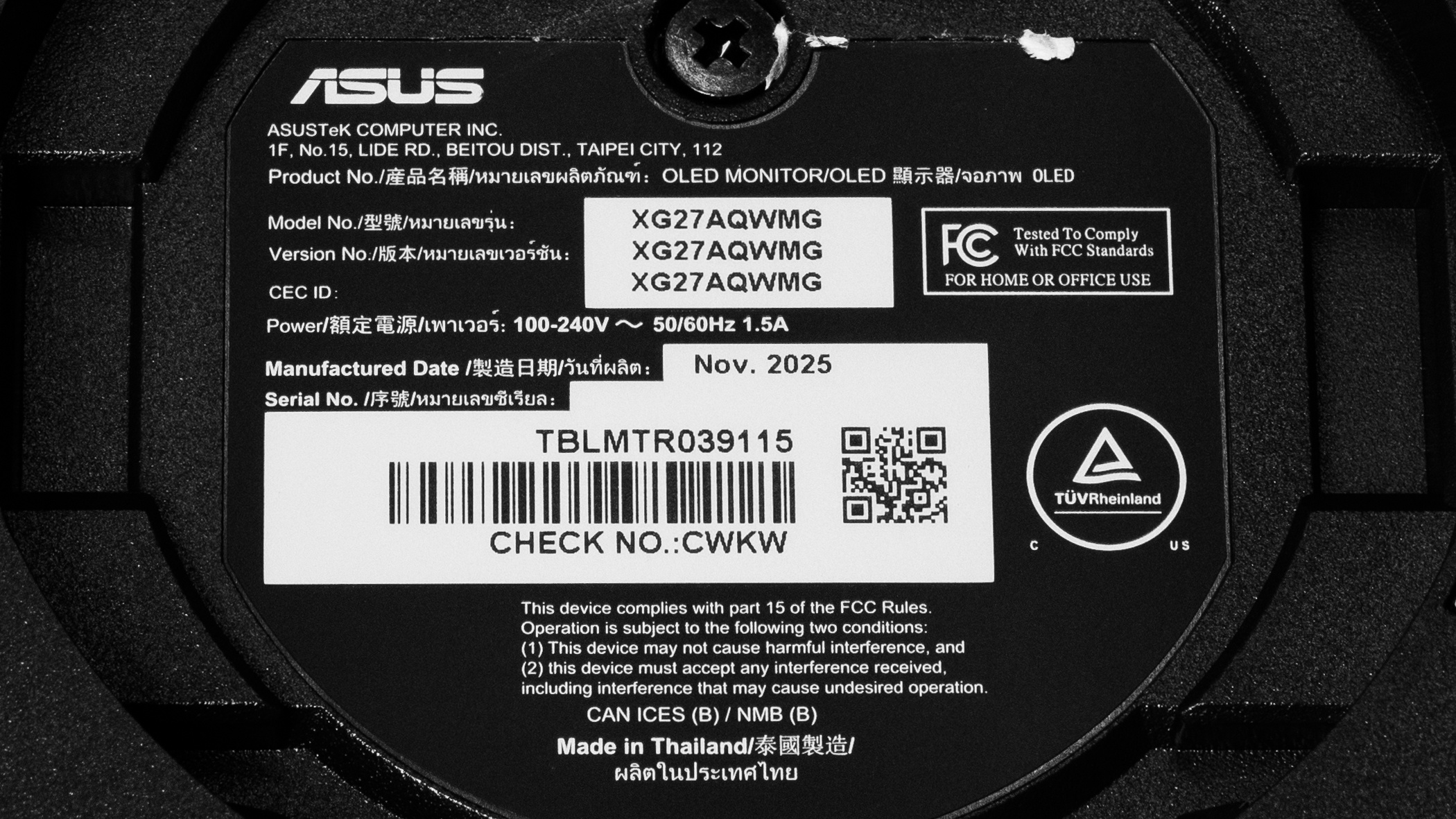
Our unit's label indicates it was manufactured in November 2025 in Thailand. We tested it with firmware MCM104.
Popular Monitor Comparisons
The ASUS ROG Strix OLED XG27AQWMG is a 1440p OLED gaming monitor with a 280Hz refresh rate. Featuring the new Tandem OLED panel, it gets brighter than the older ASUS ROG Strix OLED XG27AQDMG, so it fights some glare well and makes small highlights really pop. It competes against monitors with the same panel, like the LG 27GX700A-B and the Gigabyte MO27Q28G, with the main difference being that it has a TrueBlack Glossy coating. This means images are clearer on this monitor, and it offers a good alternative if you don't like the matte coating of competing models.
Besides that, the ASUS has what you expect in a high-end gaming monitor, like sharp motion, low input lag, and deep, inky blacks. Its HDMI 2.1 bandwidth is also useful if you have an HDMI 2.1 graphics card or gaming console. Overall, it's a fantastic gaming monitor that isn't the best of the best, but offers solid value for its price, especially if you want a Tandem OLED monitor.
Also see our recommendations for the best OLED monitors, the best 1440p gaming monitors, and the best ASUS monitors.
The Gigabyte MO27Q28G and the ASUS ROG Strix OLED XG27AQWMG are both 1440p, 280Hz gaming monitors with a Tandem OLED panel. They perform similarly for the most part, but one difference is their screen coatings. The ASUS has a glossy coating with a clearer image, while the matte coating of the Gigabyte has fewer mirror-like reflections. An advantage of the Gigabyte is that it has a USB-C port to quickly connect a laptop, which the ASUS doesn't have.
The ASUS ROG Strix OLED XG27AQWMG is an updated version of the ASUS ROG Strix OLED XG27AQDMG. The XG27AQWMG has a higher 280Hz refresh rate and comes with a newer Tandem OLED panel that gets brighter. The XG27AQWMG also has HDMI 2.1 bandwidth, which the XG27AQDMG lacks. Even though they both have glossy coatings, images look clearer on the TrueBlack Glossy coating of the XG27AQWMG.
The LG 27GX700A-B and the ASUS ROG Strix OLED XG27AQWMG are both 1440p, 280Hz gaming monitors with a Tandem OLED panel. They perform similarly for the most part, but one difference is their screen coatings. The ASUS has a glossy coating with a clearer image, while the matte coating of the LG has fewer mirror-like reflections. The LG also gets brighter, but it does this by overbrightening the entire image, so the ASUS is more accurate.
The ASUS ROG Strix OLED XG27AQWMG and the LG 27GX790B-B are both 1440p gaming monitors with a Tandem OLED panel. The LG has a higher 540Hz native refresh rate, and a 720Hz dual mode that boosts it at a lower 720p resolution. Both monitors perform similarly for the most part, but the ASUS is more accurate in HDR. The LG has a few extra perks, though, like DisplayPort 2.1 bandwidth and a USB-C port, which the ASUS doesn't have. They have different screen coatings, too: the glossy coating on the ASUS produces a clearer image, while the matte coating on the LG produces fewer mirror-like reflections.

We buy and test more than 30 monitors each year, all of which we purchase ourselves, without cherry-picked units or samples. We put a lot into each unbiased, straight-to-the-point review, and there's a whole process from purchasing to publishing, involving multiple teams and people. We do more than just use the monitor for a week; we use specialized, custom tools to measure various aspects and deliver objective, data-driven results. We also consider multiple factors before making any recommendations, including the monitor's cost, its performance compared to the competition, and whether it's easy to find.
Test Results


for pictures & test results


for pictures & test results


for pictures & test results

for pictures & test results

for pictures & test results

for pictures & test results

for pictures & test results

for pictures & test results


for videos & test results

for pictures & test results

for pictures & test results

for pictures & test results


for pictures & test results


| Retailers' prices | Amazon.co.jp |
|---|---|
| 27" ROG Strix OLED XG27AQWMG | SEE PRICE |


Comments
ASUS ROG Strix OLED XG27AQWMG: Main Discussion
Track
Let us know why you want us to review the product here, or encourage others to vote for this product. Comments transferred from merged discussions are also included.
Price is $649 Waiting for a low cost non-gaming basic OLED monitor for Cinema Watching and Office Work.
Hey, good question! Honestly I agree with you, based on your needs, it seems the XG27ACDNG is the way to go. It has a bit better text clarity, but because both have glossy coatings, images look clear on both. Though, if you look at the reflections photos from each, you’ll see that the XG27AQWMG has a bit more haze due to the coating.
VRR flicker is similar between both in that both suffer from it. The banding is definitely less of an issue on the XG27ACDNG. As for burn-in, we don’t know which is better long-term. Of course, the black level raise is something to consider for the XG27ACDNG if you have a well-lit room. Overall, I’d suggest the XG27ACDNG if your room is dark or dim, and the XG27AQWMG if you have a bright room.
Thanks for the great review, as always. I’d been waiting for it because I’ve been really conflicted between this monitor and the XG27ACDNG. Even after reading the review, I’m still undecided XD.
I know both are great monitors and the differences between them are minor, but I still want to choose the one that best suits my needs. My priorities are better image quality, sharper text, and fewer panel issues like flickering, banding, and similar annoyances.
From what I’ve seen in the reviews, my needs seem to point more toward the ACDNG. That said, I’ve heard it can have the same flickering issues, along with raised blacks in ambient light. At the same time, the new tandem panel is glossy, which I prefer, and it also seems more resistant to burn-in while offering better blacks.
What do you think?
can you send screen this test http://www.lagom.nl/lcd-test/black.php#blacktest.png you can see square 1 in hdr?…
No! Our YouTube and Social content will remain public!
Will YouTube videos also be members-only?
The full review has been posted here. Let us know what you think!