
 Credit: Lucas Gouveia/How-To Geek | Maxx-Studio/
Are you getting ready to start a server using Linux? You have tons of distribution options to choose from, but I can show you which ones I prefer. Soon enough, you'll be running services on your computer like best of them.
All of these are Linux distributions that I've used at least a little bit, and had a generally good experience with.
Debian: A classic for a reason

Debian Linux is one of the oldest Linux distributions still kicking, and it comes recommended with good reason. Its stable releases are designed to be totally reliable and run just as you'd expect. It supports numerous architectures, which is handy if your server is running on unusual hardware.
A huge benefit of Debian being so well-established is that's widely supported, with documentation, by server software. It's commonly assumed you might be trying to run on Debian whatever server you're trying to run, which means you'll rarely be left in the dark.
Debian is the distribution I run my Jellyfin server on. It's in part because Jellyfin offers instructions for installing on Debian and its popular derivative, Ubuntu Linux, specifically. That's what I mean when I say it has wide-ranging support. Whatever you're trying to do, someone out there has probably already tryied to do it on Debian, and you can benefit from their efforts and experience.
When you install Debian, you always have the option to stay "headless", meaning there's no graphical desktop to interact with and you must use a terminal to manage your server. You also have the choice to install a graphical desktop if you want it, including classics like GNOME, Xfce, and LXQt (as you can see pictured above).
DietPi: Hardware-optimized and pre-scripted
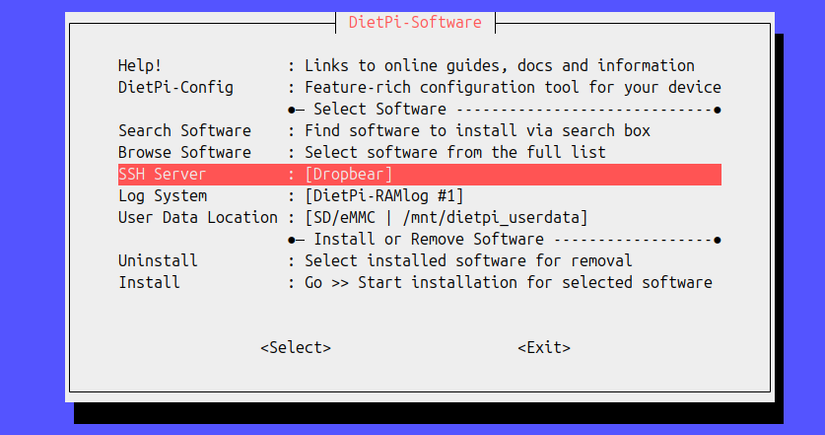
I'm a big fan of DietPi, and I recommend it especially if you're new to running servers. While it originated as a replacement for Raspberry Pi OS, it can be run on many kinds of devices, including regular PCs and laptops. In fact, the DietPi website makes it easy to search for and find the device you're installing it on.
Why do I recommend DietPi? Mostly for its automated install scripts. DietPi can automatically install dozens and dozens of popular servers and server tools while prompting you with easy-to-understand questions for any necessary configuration decisions. You can hit the ground running with your first server thanks to DietPi's dead-simple software tools.
On top of that, every DietPi image is tuned for the hardware you're installing it on. While the x86 PC images are generic, the SBC iamges of DietPi in particular are meant to make the most of your computer's resources. Think of it as

DietPi is actually based on Debian Linux. It shares the same software repositories but builds on them with its own and adds the aforementioned installation scripting. Everything is handled from a terminal user interface, though you can install a lightweight graphical desktop if desired.
There's also an official web interface currently being developed but that you can try out already. In my experience, it's good enough for basic work, though there were some notable bugs, and interface itself feels a bit clunky.
Despite all of that, I still highly recommend DietPi to anyone starting a server, especially on a Raspberry Pi or any other SBC. Be sure to refer to DietPi's software documentation for details on how each piece of software works and can be configured. I got myself stuck by not looking at those docs first.
Fedora Server: Up-to-date, with a great web interface
 Credit: Jordan Gloor / How-To Geek
While I'm not the biggest fan of Fedora as a desktop daily driver, I was very impressed when I tried Fedora Server for self-hosting. Setting it up was easy thanks to its "Anaconda" installation wizard.
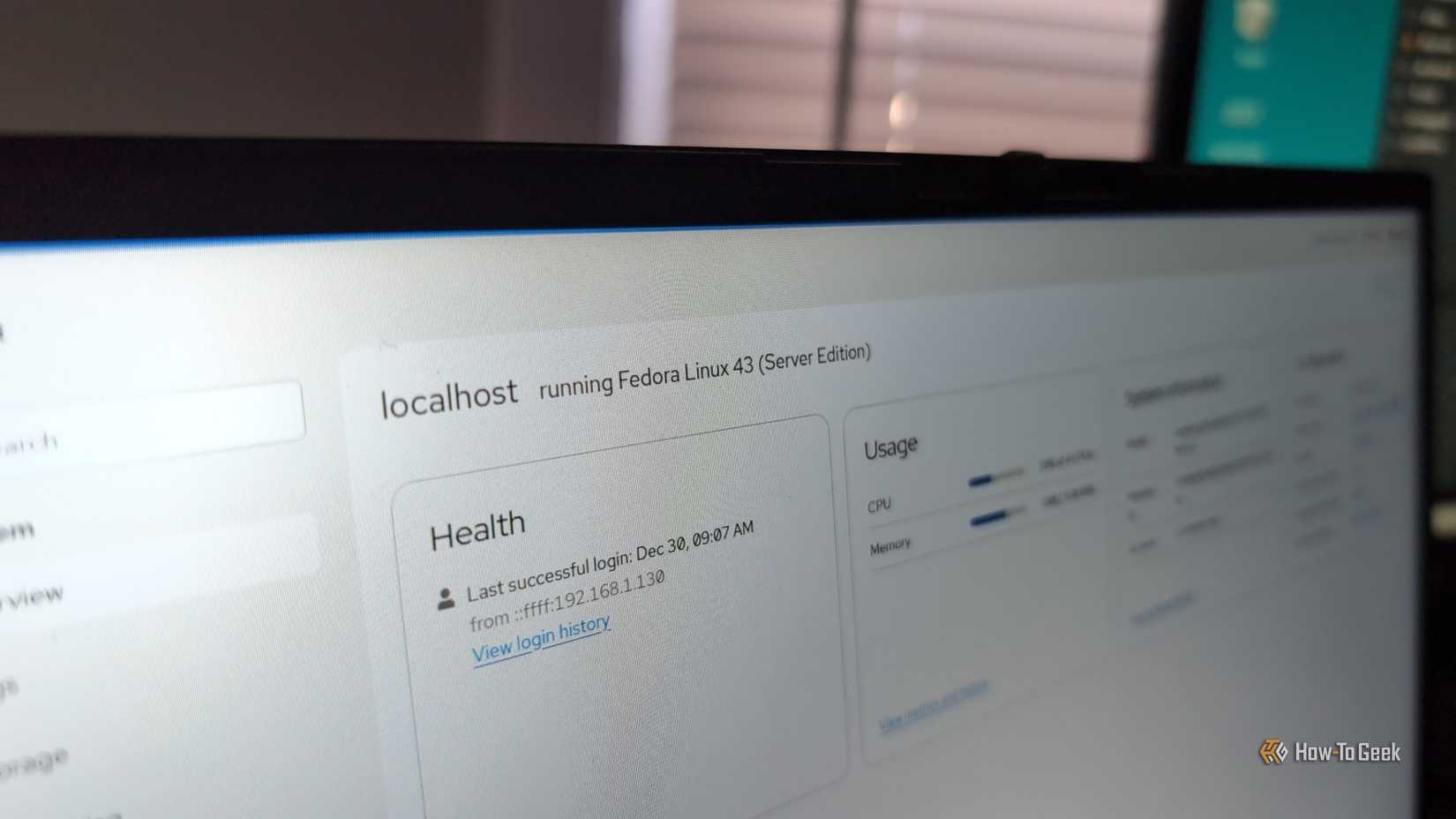
The nice thing about Fedora Server is that it has a built-in web interface that's configured from the start. That means that once you've installed Fedora, you can manage it remotely from the comfort of your browser, with a full graphical experience to make server management easy.
Fedora also has the benefit over other choices in this list in that its package base is upgraded more often. In other words, the software available to you via Fedora's repositories tends to be more up-to-date than the likes of Debian. Whether that matters is for you to decide.
3 Self-Hosted Services I'm Running in My Homelab and Use Every Day
Plus, which ones I'm looking to try next.
To be clear, I'm not running Fedora Server myself at this time because of my unique setup. Fedora Server was pushing me to use Podman, and that was in conflict with the specific media server configuration I wanted to use: Jellyfin playing media accessed remotely via NFS. Podman doesn't support NFS shares, at least not without cumbersome workarounds. After fiddling with it for a time, I realized it was best to cut my losses and just use what I knew would work in my case: Debian.
So while I personally couldn't make it work for my Jellyfin server setup, I'd still recommend Fedora. I very well might return to it for future homelab projects.
I'm not the only one with opinions on Linux servers. While I haven't tried it myself, many folks swear by ProxMox. Depending on your server configuration, you may also want to look into Unraid as a storage server.