


Latest

I riced Windows 11 and now every other setup feels boring
Once you start improving your setup it's hard to go back to default Windows

My Android finally shows real battery health like an iPhone
This app allows me to check my real battery health on Android 16 for free!

This self-hosted app sorted my messy photo library in minutes
I use this open-source app to organize my photos offline with AI, privacy, and full control. No limits!

This old-school mind-mapping app still beats modern note tools
This old mind-mapping tool is something I’m not giving up, even with all the newer options.

This browser extension keeps every idea I highlight instantly searchable
Finding my saved highlights has never been easier thanks to this browser extension

These 3 lesser-known free Android apps make my life easier
These three underrated free Android apps that simplify daily tasks without ads or paywalls.

This open-source bookmarks sync tool just freed me from Google Chrome
This open-source tool lets you sync bookmarks across browsers and devices effortlessly

This local voice-to-text app replaced every paid service for me
I get free and unlimited transcriptions using this self-hosted service

My local LLM turns any file into a mind map and it’s actually brilliant
Turns PDFs into diagrams faster than I could think.

I take 4K screenshots on a 1080p monitor with one easy setting
This simple trick allows me to take high-resolution screenshots on any 1080p monitor.

This plugin turns your messy Obsidian vault into a visual dashboard
I find it easier to rediscover my notes by using this dashboard plugin in Obsidian

This Obsidian plugin saves me from losing my notes
This plugin allows me extra visual cues to find my notes at a glance!


I paired Obsidian with Readwise and my highlights finally make sense
This combo allows me to save and process all my highlights in one place

I built a 1500 Wh portable power station for half the price
Don't spend over the odds to keep your devices juiced up.

I let my local LLM organize my chaotic Obsidian vault and it nailed it
Organize hundreds of messy notes in minutes with this AI-powered Obsidian setup!

I replaced Google Keep for my whole family with a free and open-source alternative
This open-source note taking app feels like a social media platform!

This Obsidian plugin finally gave me the dual-pane layout I wanted
Finally got a dual-pane setup on my laptop that works.
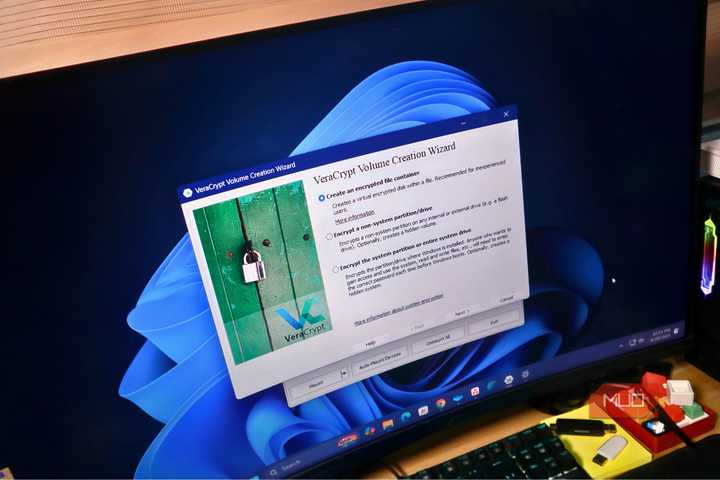
I started using VeraCrypt to protect my files and I should have sooner
VeraCrypt is a free and reliable way to hide and secure your files.

I should’ve done this to my PC years ago
I should have made these free and easy PC optimizations years ago.