

 Download

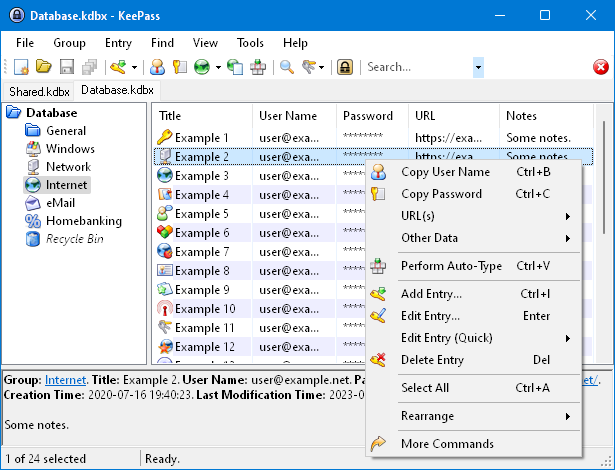
KeePass Password Safe is a free, open source, lightweight, and easy-to-use password manager for Windows, Linux and Mac OS X, with ports for Android, iPhone/iPad and other mobile devices. With so many passwords to remember and the need to vary passwords to protect your valuable data, it’s nice to have KeePass to manage your passwords in a secure way. KeePass puts all your passwords in a highly encrypted database and locks them with one master key or a key file. As a result, you only have to remember one single master password or select the key file to unlock the whole database. And the databases are encrypted using the best and most secure encryption algorithms currently known, AES and Twofish. See our features page for details.
Features
- Strong security (AES encryption, SHA-256 hash, protection against dictionary and guessing attacks, in-memory protection, ...).
- Portable (no installation required), available for many platforms (Windows, Linux, Mac OS X, smart devices/phones, ...).
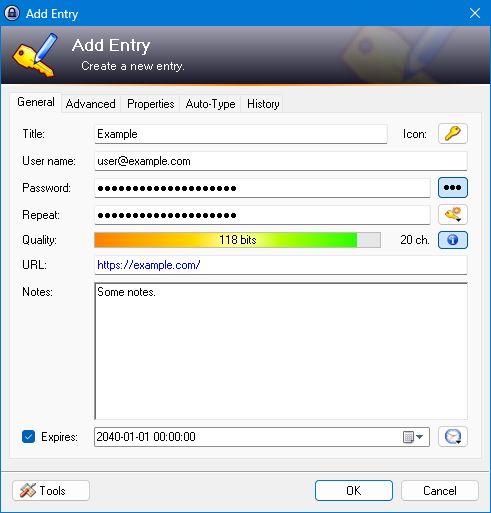
- Efficient and flexible organization (entry groups, tags, time fields, file attachments, ...).
- Various data transfer methods (clipboard, drag and drop, auto-type, plugins can provide integration with other applications, ...).
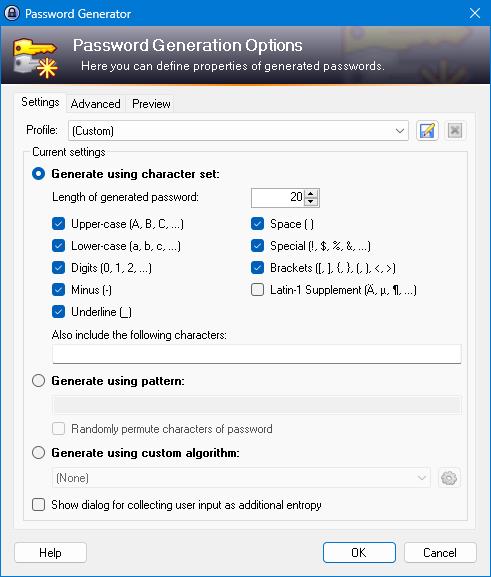
- Powerful password generator (generation based on character sets and patterns, with many options).
- Extensible (plugin architecture) and multi-language (more than 40 languages are available).
Project Samples
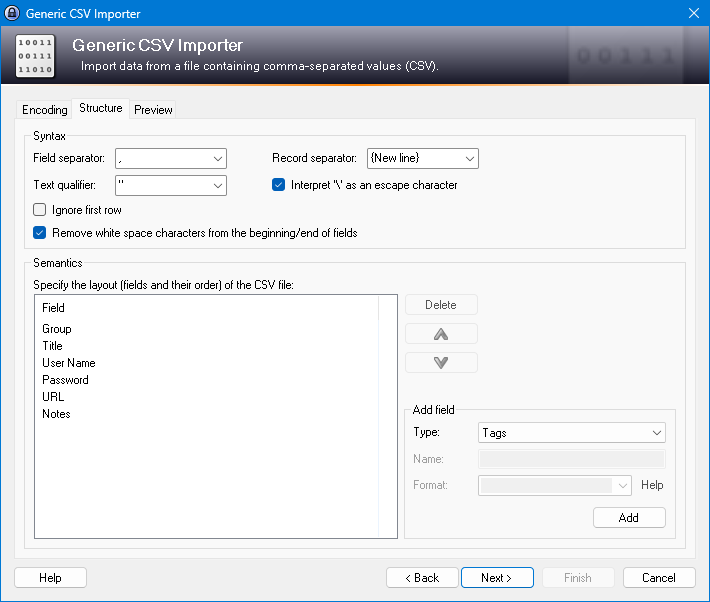
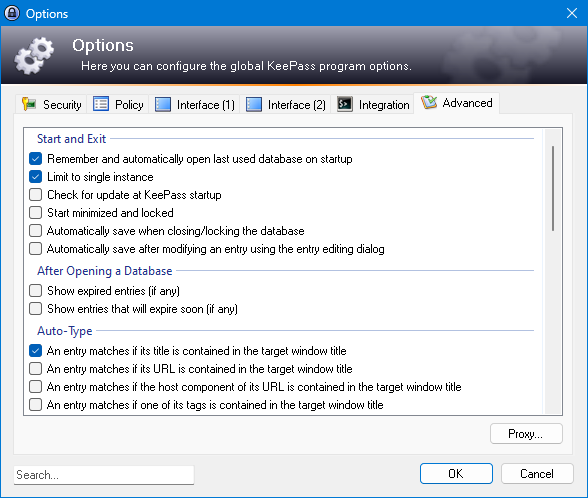
-
I have been using KeePass for over 10 years based on Windows PC. For the last 3 years I have been using the Android KeePass app to connect to a KeePass DB hosted in OneDrive with no issues. A couple of months ago following app update (Windows App 2.57.1) I started getting the error message when attempting to connect using the Android app: gokeepasslib: unknown header ID of 69 Connecting to the DB on Windows is fine with no error. I recovered a backup of the KeePass DB to an older version pre-dating...
-
If you can remove the disk from the laptop you can put it in an external USB enclosure and connect it to another computer. Then you can use KeePass to find all databases on the external disk (File > Open > Find Files). For more information on what you need to open a database, read the KeePass Backup Wiki. cheers, Paul
-
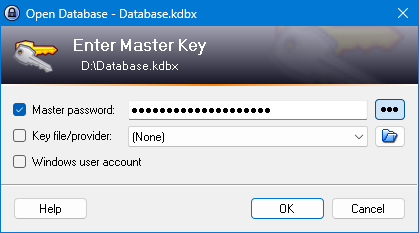
Assuming your laptop doesn't work, copy the old database and key file, if you used one, to a new computer. Install the latest version of KeePass and make sure that the database file extension is associated with the installed version of KeePass. Double-click on the copied database and when prompted enter the master key components (password and key file if used) into the Enter Master Key dialog aka Open database dialog. The database will open. If your old laptop still works and is safe to operate you...
-
Assuming your laptop doesn't work, copy the old database and key file, if you used one, to a new computer. Install the latest version of KeePass and make sure that the database file extension is associated with the installed version of KeePass. Double-click on the copied database and when prompted enter the master key components (password and key file if used) into the Enter Master Key dialog aka Open database dialog. The database will open. If your old laptop still works and is safe to operate you...
-
Assuming your laptop doesn't work, copy the old database and key file, if you used one, to a new computer. Install the latest version of KeePass and make sure that the database file extension is associated with the installed version of KeePass. Double-click on the copied database and when prompted enter the master key components (password and key file if used) into the Enter Master Key dialog aks Open database dialog. The database will open. If your old laptop still works and is safe to operate you...


Categories
Business, Database, Security, Desktop Environment, Internet, Password Managers, Password GeneratorsLicense
GNU General Public License version 2.0 (GPLv2)Follow KeePass


You Might Also Like
Rate This Project
Login To Rate This Project
User Reviews
-
This software is incredibly useful and has made my daily life so much easier. Highly recommended!
-
KeePass Password Safe is a powerful, free, and open-source password manager that keeps your credentials secure using top-level encryption like AES and Twofish. It’s lightweight, portable, and works across Windows, macOS, Linux, and mobile platforms. The clean and intuitive menu layout makes it easy to organize entries, generate strong passwords, and access features quickly. Ideal for anyone looking for a secure, no-frills password manager.
-
KeePass – Simple, Powerful, Cross-Platform KeePass is my go-to password manager. I keep my main database file in a cloud drive, which allows me to access it seamlessly across multiple devices (desktop PC, laptop, mobile) and operating systems (Windows, Debian, Android). Beyond securely managing passwords, KeePass really shines with its auto-type feature. I use it extensively to automate full command sequences in terminal sessions, especially for repetitive tasks. It saves time and reduces errors — an incredibly useful tool for both everyday and technical workflows.… Read More »
-
Nice program!!
-
Very good app! Using the app, in addition to excellent password manager function, to automate some repetitive tasks in SAP, Excel and other tools using the autotype function