Hello,
I have 3 integers as input which correspond to degree values. I want to use these to rotate a 3D object in React-Three-Fiber. Everything works fine, but the rotation order is such that if I rotate the object, the local axis does not move along. This is unfortunate as there can be first an X-axis rotation, THEN Y axis rotation etc. and this leads to unexpected rotations of the object.
The way I include the object into the canvas is as follows whereby xrot,yrot,zrot represent the rotations (translated from degrees to radians):
<primitive rotation={[xrot , yrot , zrot ]} position={[0, 0, 0]} object={object} scale={scale} />
I would appreciate any help. Thanks!
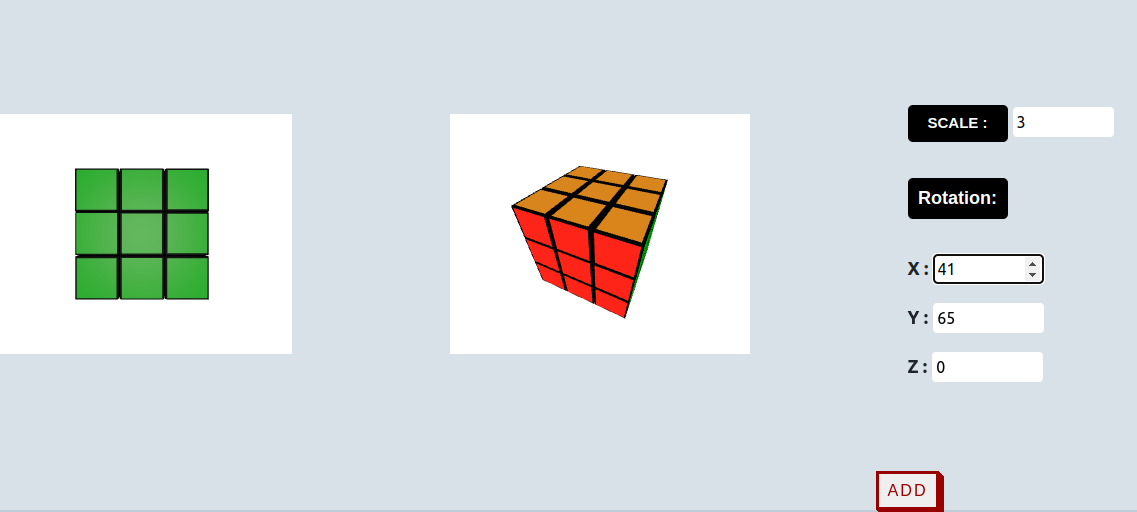
EDIT: To make my problem a bit clearer, some images:
- In Image1 only a 60 degree rotation around the x-axis is being made.
- In Image2 (reupload) first a 65 degree rotation around the y-axis is being made and afterward for the same object in Image3 a 41 degree rotation around the x-axis is being made and we can see that the local coordinate system is not following the object after the first rotation in the y-axis (I assume) or maybe it just always follows the global coordinate system? This is the problem. I want to make the rotations as generic as possible so an object can be rotated in the order z-y-x-y-z-x or x-z-y-x-z-y-z or all other possibilities without changing the rotation pattern.
EDIT2: I think I know at least what my problem is called now: Gimbal Lock (Gimbal lock - Wikipedia). The solution seems to be Quaternion as @PavelBoytchev and @hofk already suggested, so I will try this out now with react-three-fiber and update this post if I am going to be successful.
EDIT3: As @PavelBoytchev and @hofk suggested, the usage of Quaternions solved the problem. Thanks!
The cube is from sketchfab: Rubix cube [low poly] - Download Free 3D model by Doilt [30a2e00] - Sketchfab