Why not login to Qiita and try out its useful features?

We'll deliver articles that match you.

You can read useful information later.

7
4

Delete article

Deleted articles cannot be recovered.

Draft of this article would be also deleted.

Are you sure you want to delete this article?

記事投稿キャンペーン 「2024年!初アウトプットをしよう」

「Oracle database 19c」を手動アンインストールしてみたよ!

Last updated at Posted at 2024-01-24

●現在の状況

「Oracle database 19c」をインストールしたが、ログインができなかった。
どのユーザーを使ってもログインできないため、アンインストールを行うことにした。
「サービス」は、全部止めてのアンインストール。
以下に記載している参考資料のサイトを参考にして手動アンインストールを行う。

●実際に行ったアンインストール手順

(1)サービスを停止する

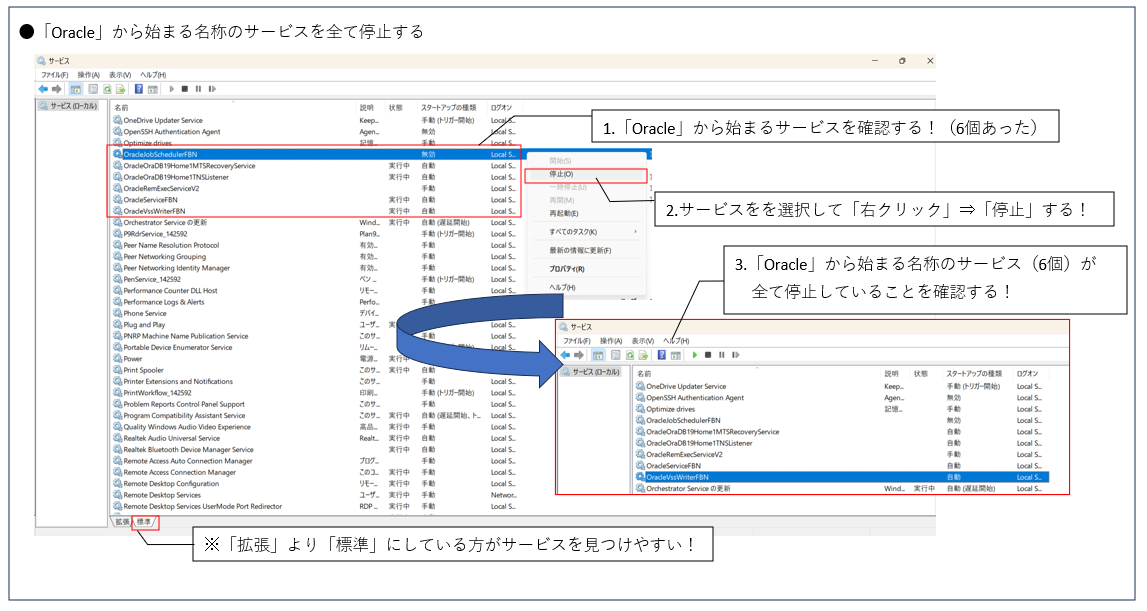
  1. 「コントロールパネル」⇒「Windowツール」⇒「サービス」を開く
  2. 「Oracle」から始まる名称のサービスを全て停止する
    Oracleアンインストール(1).png

(2)フォルダを手動で削除する

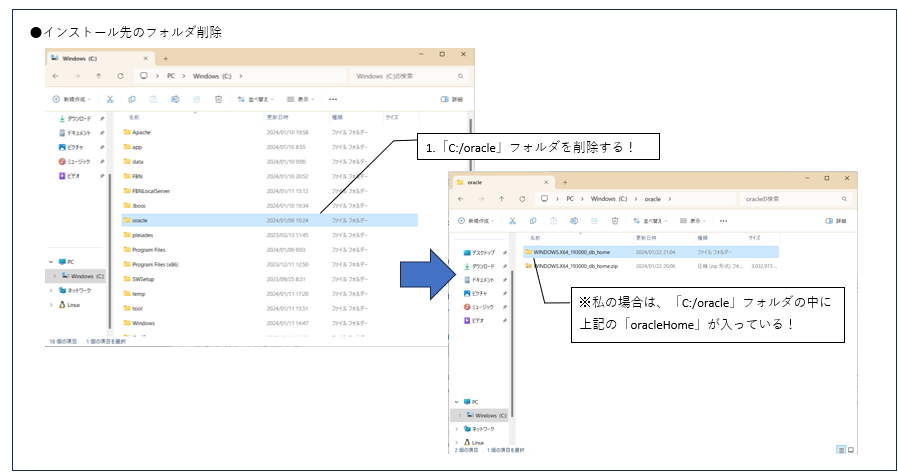
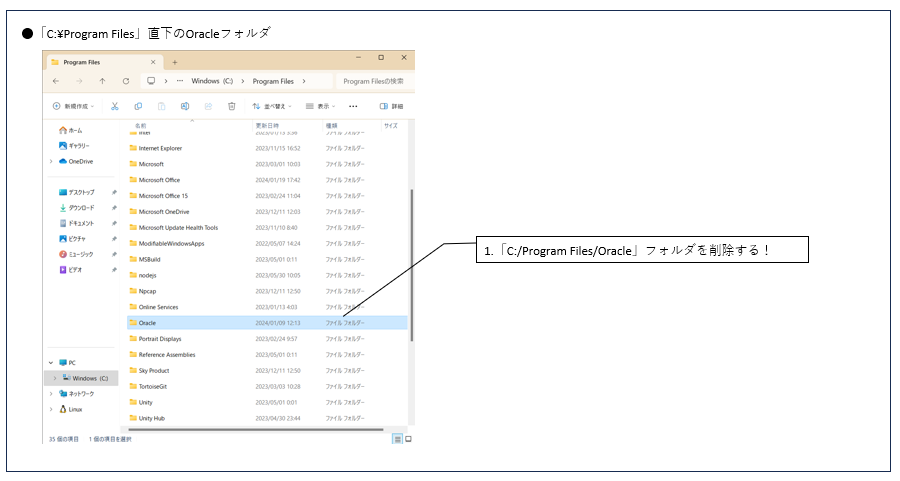
  1. 以下のOracleフォルダを3箇所削除する

①インストール先のフォルダ
Oracleアンインストール(2).png

②C:\Program Files直下のOracleフォルダ
Oracleアンインストール(3).png

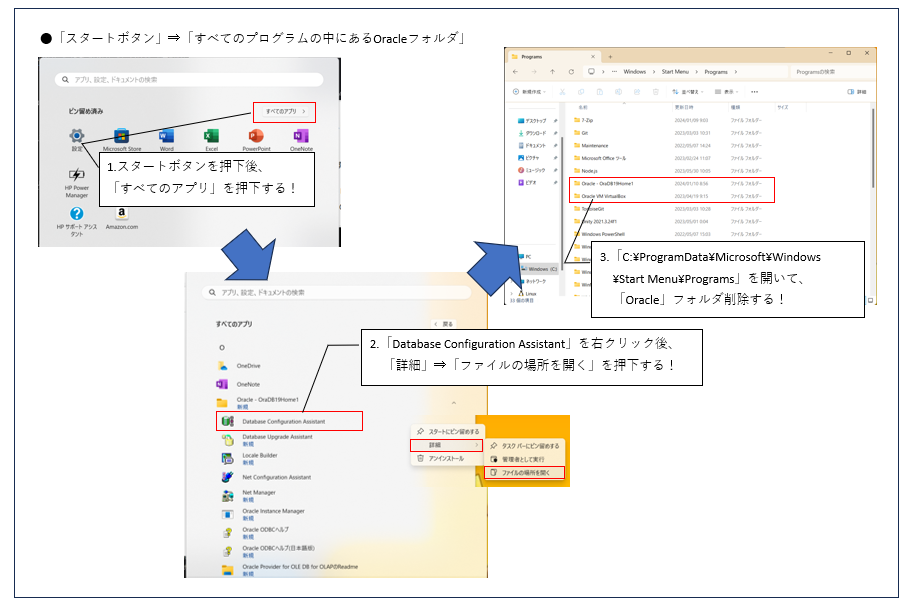
③「スタートボタン」⇒「すべてのプログラムの中にあるOracleフォルダ」

※スタートボタンのフォルダ場所
 ⇒「C:\ProgramData\Microsoft\Windows\Start Menu\Programs」
Oracleアンインストール(4).png

上記の3つのOracleフォルダを削除する。
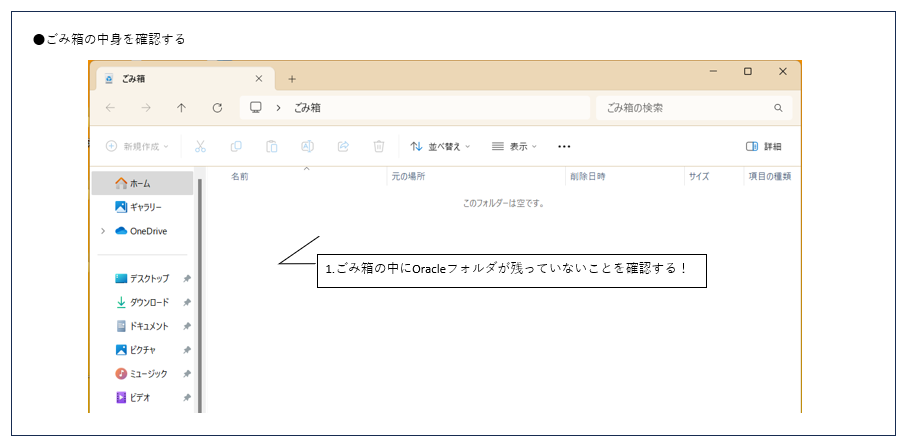
その際は、ゴミ箱の中身も削除できているか確認する。
Oracleアンインストール(5).png

(3)レジストリを削除する

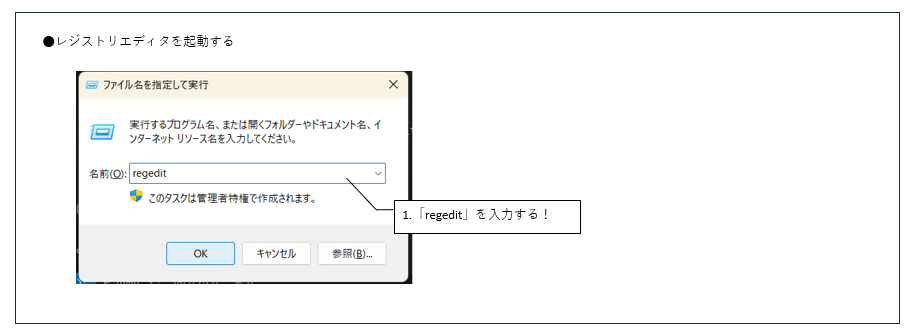
  1. 「Ctrl」+「R」を押下して、「ファイル名を指定して実行」画面を表示する
  2. 「regedit」と入力してレジストリエディタを起動する
    Oracleアンインストール(6).png
  3. 以下のレジストリを削除する
  • HKEY_CURRENT_USER→Softwareの直下のOracleフォルダ
  • HKEY_LOCAL_MACHINE→Softwareの直下のOracleフォルダ
  • HKEY_LOCAL_MACHINE→System→CurrentControlSet→ServicesのOracle関連フォルダ

Oracleアンインストール(7).png

(4)再起動する

  1. 再起動する
    ※Oracleが「アンインストールされた状態」になり、再インストールが可能となる。

☆参考資料

7
4
0

Register as a new user and use Qiita more conveniently

  1. You get articles that match your needs
  2. You can efficiently read back useful information
  3. You can use dark theme
What you can do with signing up
ayane-murakami

@ayane-murakami

進化のいしは断固拒否!!!笑
funaisoken
船井総合研究所は、Microsoft Azureを中心としたクラウド×AI開発を行う「Azure OpenAI Service リファレンスアーキテクチャ」の賛同パートナーです。Azure OpenAI ServiceやSemantic Kernelを活用したアプリ開発や専用環境の構築、フィンテックやヘルステックを始めとする大規模なプロジェクトなどに参画しております。

Comments

No comments

Let's comment your feelings that are more than good

Being held Article posting campaign

7
4

Delete article

Deleted articles cannot be recovered.

Draft of this article would be also deleted.

Are you sure you want to delete this article?

Login to continue?

Login or Sign up with social account

Login or Sign up with your email address