
 4.3 out of 5
Download Surfshark VPN to secure your digital life
- One account, unlimited devices
- 7-day free trial on iOS, Android & macOS
- Full refund in the first 30 days
- Pick any VPN server from 65+ locations
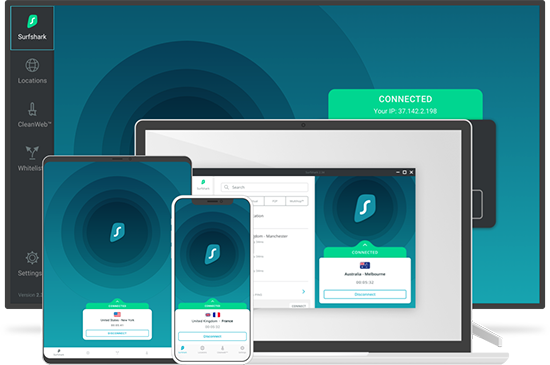
Secure any platform with a VPN app
We’re up-to-date with the latest operating systems’ versions
 iOS
iOS Android
 Windows
 MacOS
MacOS Chrome
 Firefox
 Linux
Linux FireTV
VPN for desktop


VPN for mobile devices


VPN for browsers


VPN for smart TVs


VPN for consoles


VPN for your router


How to download and set up your VPN
3 steps to secure your digital life


Download VPN software to your device
Get it from an app store or our website.

Sign in with your fresh account
Choose a country to connect to and use this account on multiple devices!
What features come with Surfshark VPN?

RAM-only servers
All Surfshark servers operate on 100% diskless infrastructure. This means that to further increase your online privacy, your activity gets automatically deleted once the server is turned off.
Unlimited devices
You can connect one account to multiple devices and use a VPN on all of them simultaneously. Browse privately on your phone or laptop while connected to the same VPN!
Kill Switch
This feature is a must if you handle important or sensitive information. It “kills” the internet connection if your VPN connection unexpectedly drops, keeping your data secure at all times.
Strict no-logs policy
When we say that your privacy belongs to you only, we mean it. Surfshark operates based on a strict no-logs policy, which means that no one - including us - knows what you do online.
Hide your IP
Hiding your IP keeps your real location and other personal information private. It is a little bit like traveling without leaving your couch. Digitally, you appear to be from another country!
Split tunneling
Split tunneling, also known as Bypasser, allows you to exclude trusted websites from VPN protection. Avoid misunderstandings with banks and other services that require your real location!
CleanWeb
CleanWeb prevents malware or phishing attempts. Plus, it blocks many annoying ads & trackers that follow you online.
MultiHop
MultiHop, or Double VPN, allows you to connect through multiple servers at once. This greatly improves your privacy online because you have two layers of security on your internet connection.
Secure protocols
Our protocols will ensure your VPN connection is strong and stable. Choose from WireGuard , IKEv2, OpenVPN, and Shadowsocks to suit your needs!
NoBorders mode
Forget restrictions! Surfshark will enable NoBorders mode if it detects any problems that limit your access to the internet. You’ll then get to choose from a list of servers that perform best under network restrictions.
Top-level encryption
Our encryption algorithms will ensure that your internet traffic remains inaccessible to your internet service provider and online snoops!
Download the best VPN to protect your privacy
Try risk-free with a 30-day money-back guarantee
FAQ
Will a VPN prevent my ISP from seeing what I download?
Can I download Surfshark VPN for free?
Can't I just get a free VPN?
Are VPNs legal?
Surfshark has 3200+ servers worldwide
All serversGet 1 subscription for all your devices
