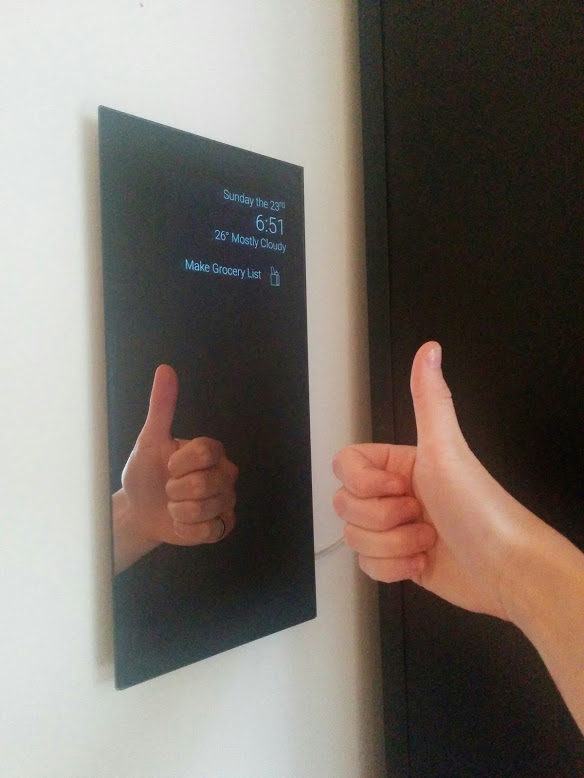
HomeMirror
Android application powering the mirror in my house

Software
- Day, time, and weather display
- Birthday messages
- Chore reminders
- Biking weather recommendation
- Stock price swings
- Today's new XKCD
APIs provided by Yahoo Finance, Forecast.io, and XKCD

How to Run
- Clone project
- Get a forecast.io api key
- Add a keys.xml file with <string name="dark_sky_api_key">your_key</string>
- Import project to Android Studio and run
Making a Mirror
1. Obtain Android device
We had too many. Sad old devices are ideal. I used a 2012 Nexus 7.
2. Obtain two-way mirror
We did this the old-fashioned way, and quested to Canal Plastic Center. A beautiful and highly recommended establishment.
There are also two-way mirror acrylic sheets on the internet, though I can't vouch for them.
Get a mirror at least as large as your Android device.
3. Sticky stuff for mounting
Our trickiest problem was figuring out how to mount everything with minimal damage and error. We eventually discovered reusuable double-sided adhesive, which is amazing.
We're using it both to mount the mirror to the device, and the device to the wall.
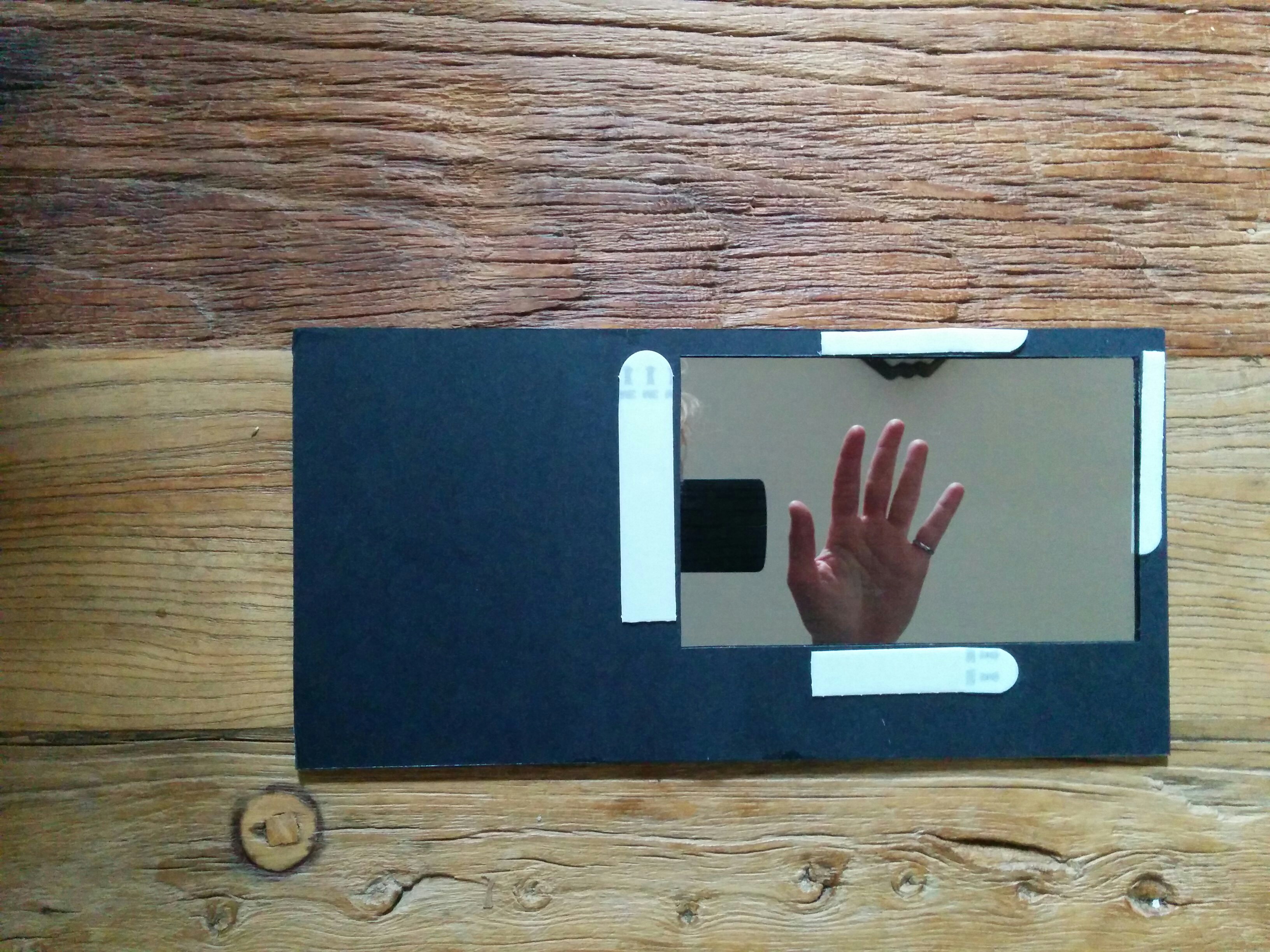
4. Attach black backing
We used black construction paper. If your device and mirror are awesomely identical in size, you can skip this.
Note: You want to glue it well, so the backing doesn't tear when the adhesive is holding it.
- Cut a piece of black backing the same size as your mirror
- Decide where you want your device to show through. We did upper right. Leave a border all the way around for adhesive.
- At that location, carefully cut a hole in the backing the same size as your device
- CAREFULLY glue the backing to the mirror. We used spray adhesive, and practiced how we would pick it up and lay it on the mirror a couple times before going for it. We also wore black surgical gloves.
5. Adhesion
Fire up the app on the device.
Put the adhesive along the bezel or edges of the device. Line up the mirror and stick it on there.
6. Wall spot
You probably want a long usb cable. Find a wall spot where you can keep the device plugged in.
Put a bunch of adhesive on the back of the device, and stick it on there.