OS X 10.9 Mavericks や 10.10 Yosemiteではシステム環境設定.appの[App Store] > [アップデートを自動的に確認]をONにしておかないとXProtectの自動アップデートが効かないそうです。詳細は以下から。
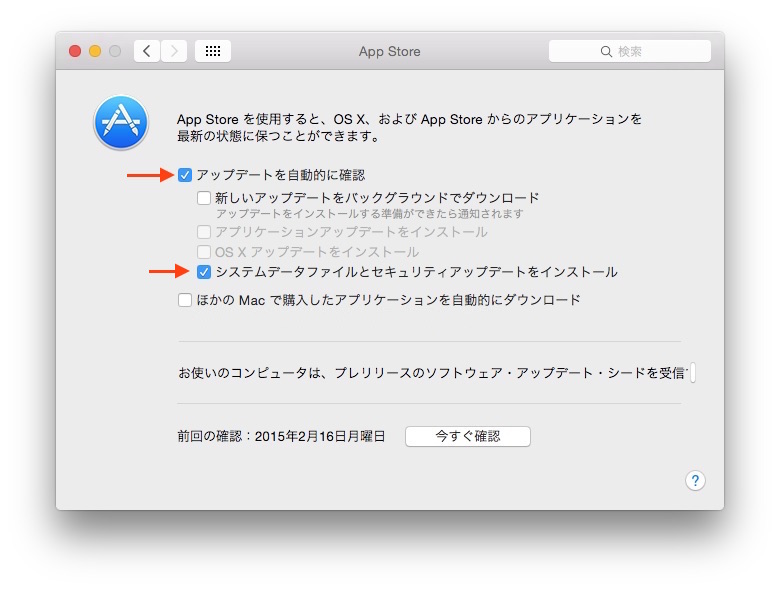
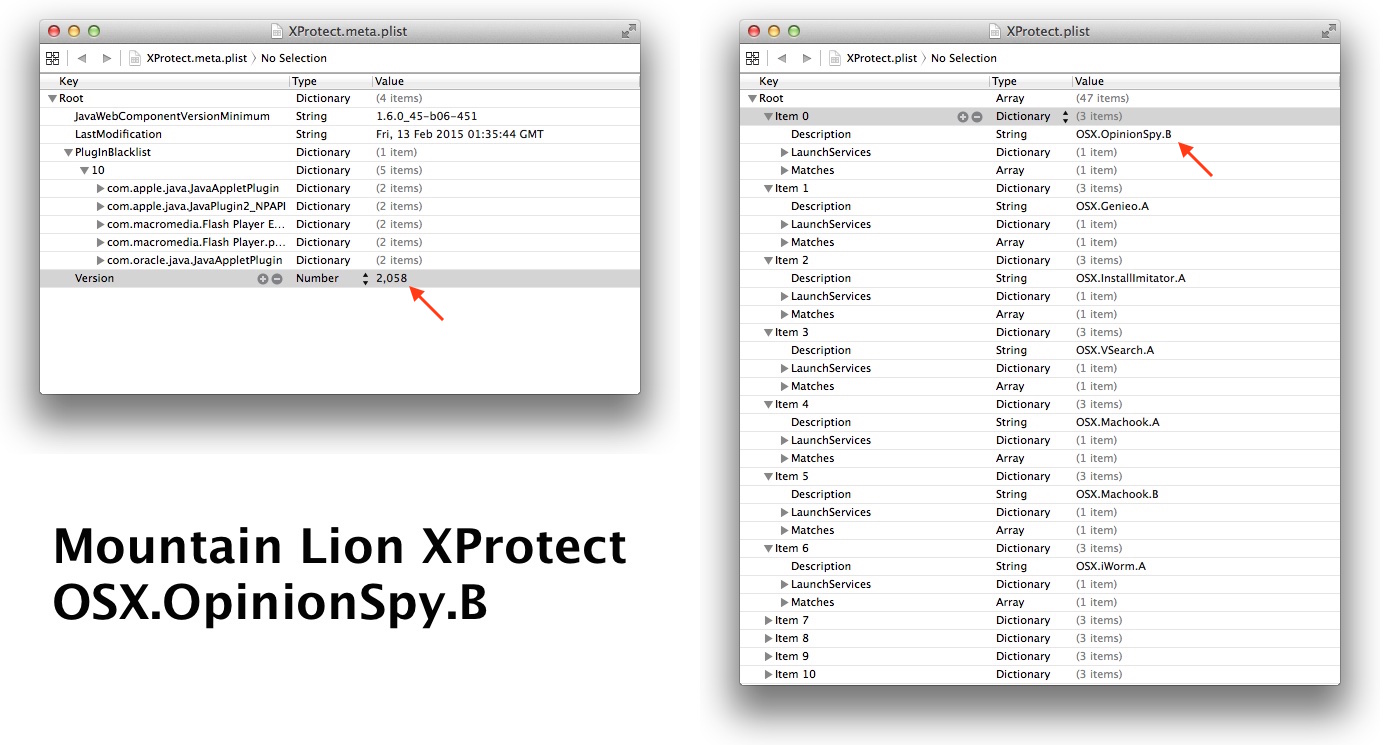
先日、AppleはスパイウェアOSX/OpinionSpyの亜種に対応するためXProtectを更新しました、この更新はOS X Snow Leopard 10.6 ~ Mountain Lion 10.8向けだと思っていたところ「Yosemiteでも更新された」とのコメントを頂き、確認してみたのですがアップデートされておらず調べていたところ「Mavericks以降のOS Xではシステム環境設定の"アップデートを自動的に確認"をONにしておかないとGatekeeperとXProtectのアップデートもされない」という話題が上がっていたので確認してみました。
この話題は去年の年末あたりからMac OperationsやDer Flounderなどで取り上げられており、その内容は「OS X MavericksからSoftware Updateに統合されたGatekeeperとXProtectのアップデートは以前と同様に自動的にアップデートされ、手動でも"softwareupdate --background-critical"を叩くことでアップデートされるが、このアップデートはシステム環境設定の[App Store] > [アップデートを自動的に確認]をONにしておかないとアップデートされない」というものです。
Tim Sutton@tvsutton
Wrote a thing on the lack of background/security updates on managed Macs:
2014/12/19 01:53:04
http://t.co/r0BWvy5MV1
#MacAdmin
One important thing to know about forcing XProtect updates on Mavericks and Yosemite is that the Software Update function on the system in question must be set to automatically check for updates. Based on my testing, if the automatic check for updates is disabled, XProtect will no longer receive updates. This applies even if you run the softwareupdate –background-critical command to force an update to XProtect’s blacklist.
[Forcing XProtect blacklist updates on Mavericks and Yosemite - Der Flounder]
確認してみた
OS X Mavericks & YosemiteでGatekeeperとXProtectのバージョンを確認するには以下のdefault readなどで可能(2月16日の時点でGatekeeperは59, XProtectは2058になっています)。
・Gatekeeperdefaults read /private/var/db/gkopaque.bundle/Contents/Info.plist CFBundleShortVersionString
・XProtectdefaults read /System/Library/CoreServices/CoreTypes.bundle/Contents/Resources/XProtect.meta Version
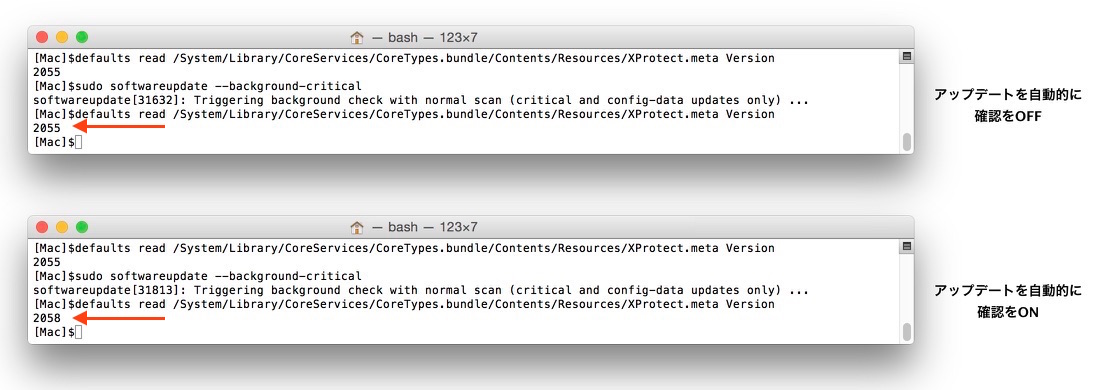
システム環境設定の[App Store] > [アップデートを自動的に確認]と[システムデータファイルとセキュリティアップデートをインストール]をOFFにした状態で、XProtectの手動アップデート
$sudo softwareupdate --background-critical
を試してみたところ、やはりアップデートされずv2055のままで、ONにしてアップデートしてみたところOSX/OpinionSpyが追加されたv2058になりました。
OS X adminsのTimさんのテストでも、自動的にアップデートがOFF "$softwareupdate --schedule off"の場合、セキュリティアップデート"$softwareupdate --background-critical"はすぐに終了し、GatekeeperやXProtectはアップデートされませんが、
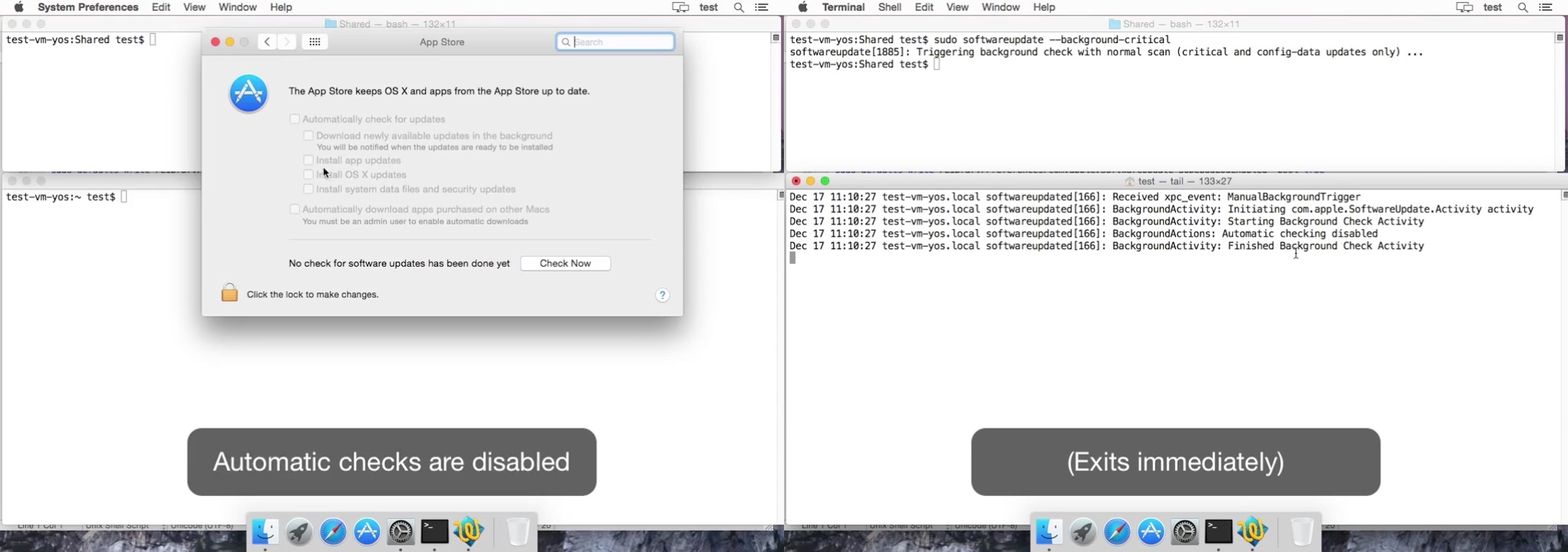
自動的にアップデートがON "$softwareupdate --schedule on"の場合、アップデートプロセスが実行されるとしています。
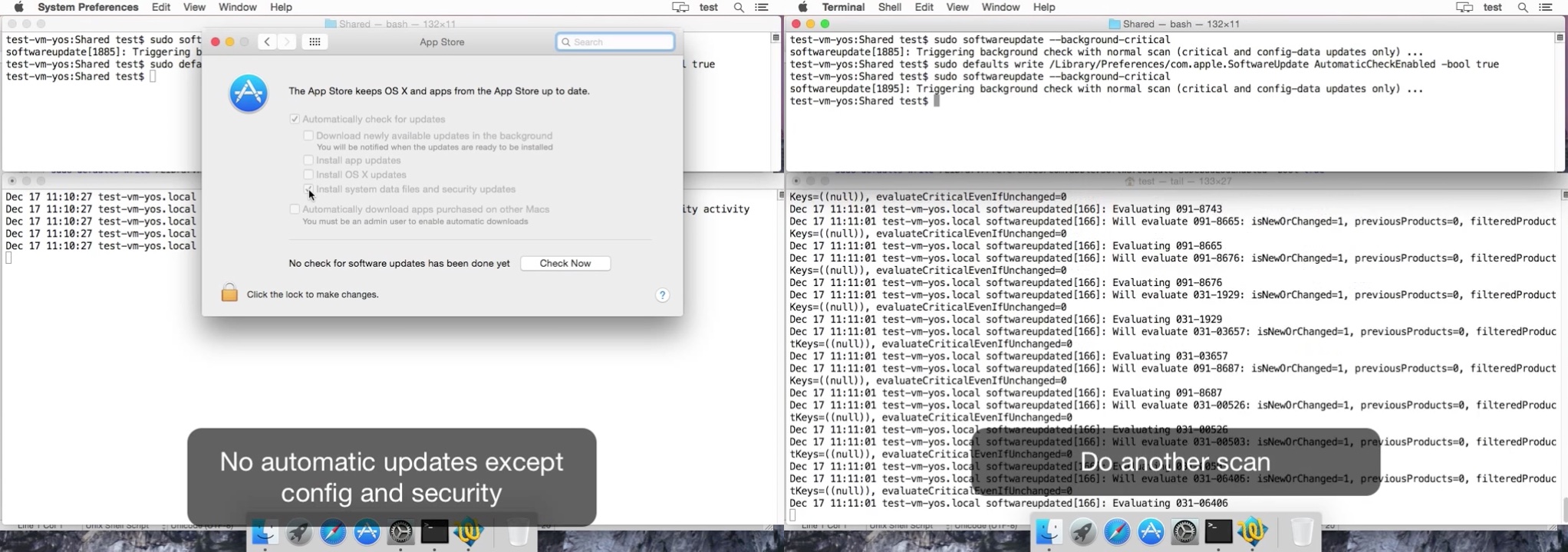
この設定はデフォルトでONになっているので、ユーザーが手動でOFFにしない限りXProtectやGatekeeperの自動更新が止まることはありませんが、OS X 10.8までは自動的にアップデートされていたXProtectのアップデートまで止まってしまうため、OS Xのシステム管理を担当するTimさんはこれをバグとしてAppleにレポートしています。
I consider this issue to be a security bug. My bug report on this issue is #18939764, which has been classified by Apple as an enhancement request.
[your clients are not getting background security updates - OS X admins]
OS Xの自動アップデートでアプリやシステムに不具合が生じるのが嫌で、[アップデートを自動的に確認]をOFFにしている場合、去年流行したiWormやWireLurker, DownLiteなど複数のマルウェアのXProtectが効いていない場合があるので上記の方法で確認してみてください。
関連リンク:
・Forcing XProtect blacklist updates on Mavericks and Yosemite - Der Flounder
・your clients are not getting background security updates - OS X admins
これアップルにとって百害あって一利なしだと思うんだけど、どういうルールなのアップルさん?