OS X用マルウェアインストーラーの巧妙化が更に進んでいるようです。詳細は以下から。
今年2月にマルウェアやアドウェア付きのインストーラーがWindowsからMacへと移植されてきていることが話題になりましたが、このマルウェアインストーラーが更に巧妙化し「実際のMacか仮想マシンかを判断しインストールするプロセスを変更している」とMacのセキュリティ情報を提供しているブログThe Safe Macが注意を呼びかけています。
The Safe Mac@TheSafeMac
MPlayerX adware behaving like malware! - http://t.co/zN2WS21uZ2
2015/05/12 05:38:46
Real or Virtual ?
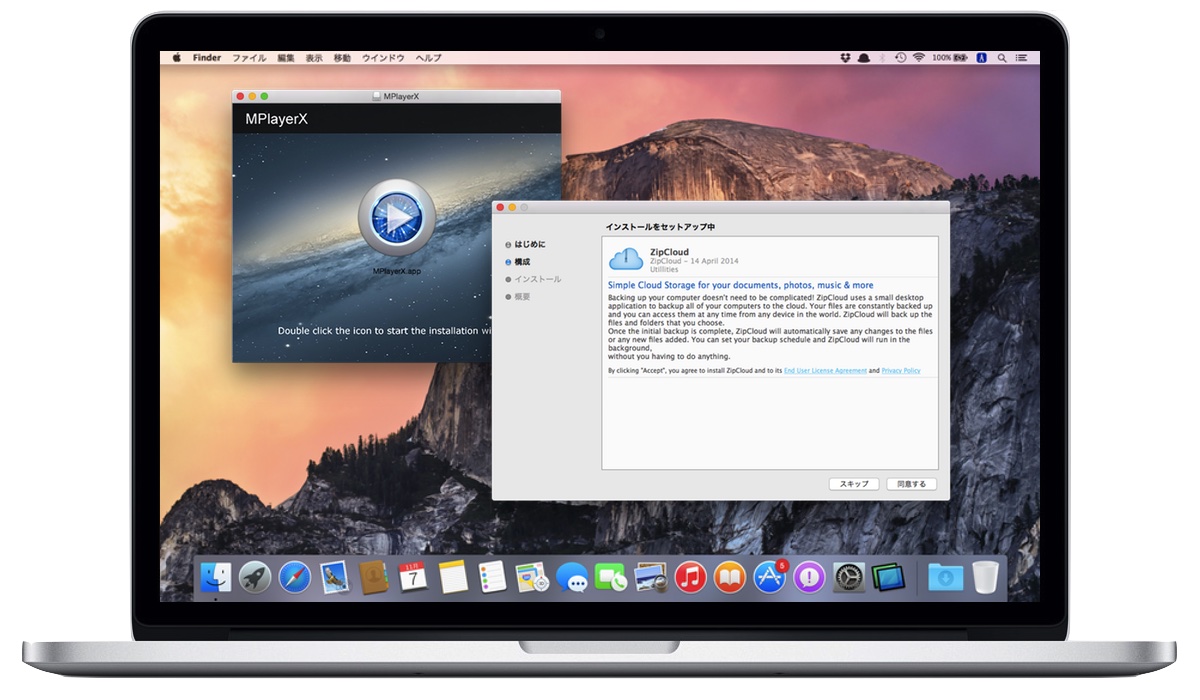
The Safe Macによると、このインストーラーが確認されたのはMac用動画アプリ「MPlayerX」のインストーラーで、「実際のコンピューター(Mac)にインストールしようとするとYahoo検索アドウェア、MacKeeper、ZipCloudマルウェアを同時にインストールし、Parallelsなどの仮想システムにインストールしようとすると、このプロセスをスキップし通常のMPlayerXのインストールだけが行われる」事を確認したそうです。
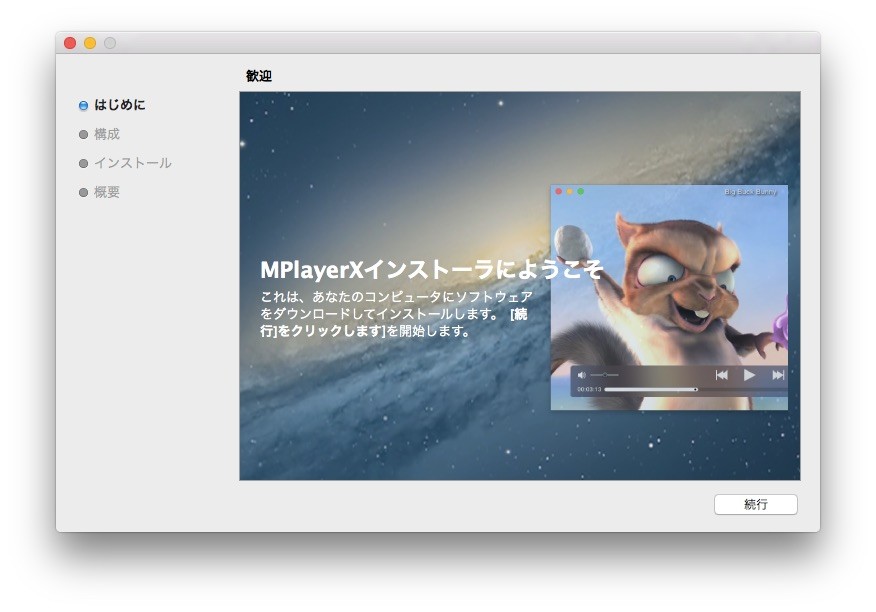
A new MPlayerX installer, this time available directly from the MPlayerX website, is exhibiting exactly this behavior. When run on a “real” computer, the installer goes through a “Configure” phase in which it offers a Yahoo Search extension (adware), a copy of MacKeeper and a copy of ZipCloud. This is not particularly new, and has been described here before, although never with an installer downloaded directly from the MPlayerX site.
When run in a virtual system in Parallels, however, this installer skips over the Configure phase entirely! No adware or third-party junk software is offered or installed. The end result is that it behaves exactly like one would expect a normal MPlayerX installer to work… it just installs MPlayerX.
[MPlayerX adware behaving like malware! - The Safe Mac]
実際に試してみた
このインストールプロセスがどのバージョンから採用されたかは分かりませんが、現在のMPlayerX公式サイトで配布されているインストーラにはこの方式が採用されているそうなので、Parallels Desktopに構築してあるMacにインストールしてみました。
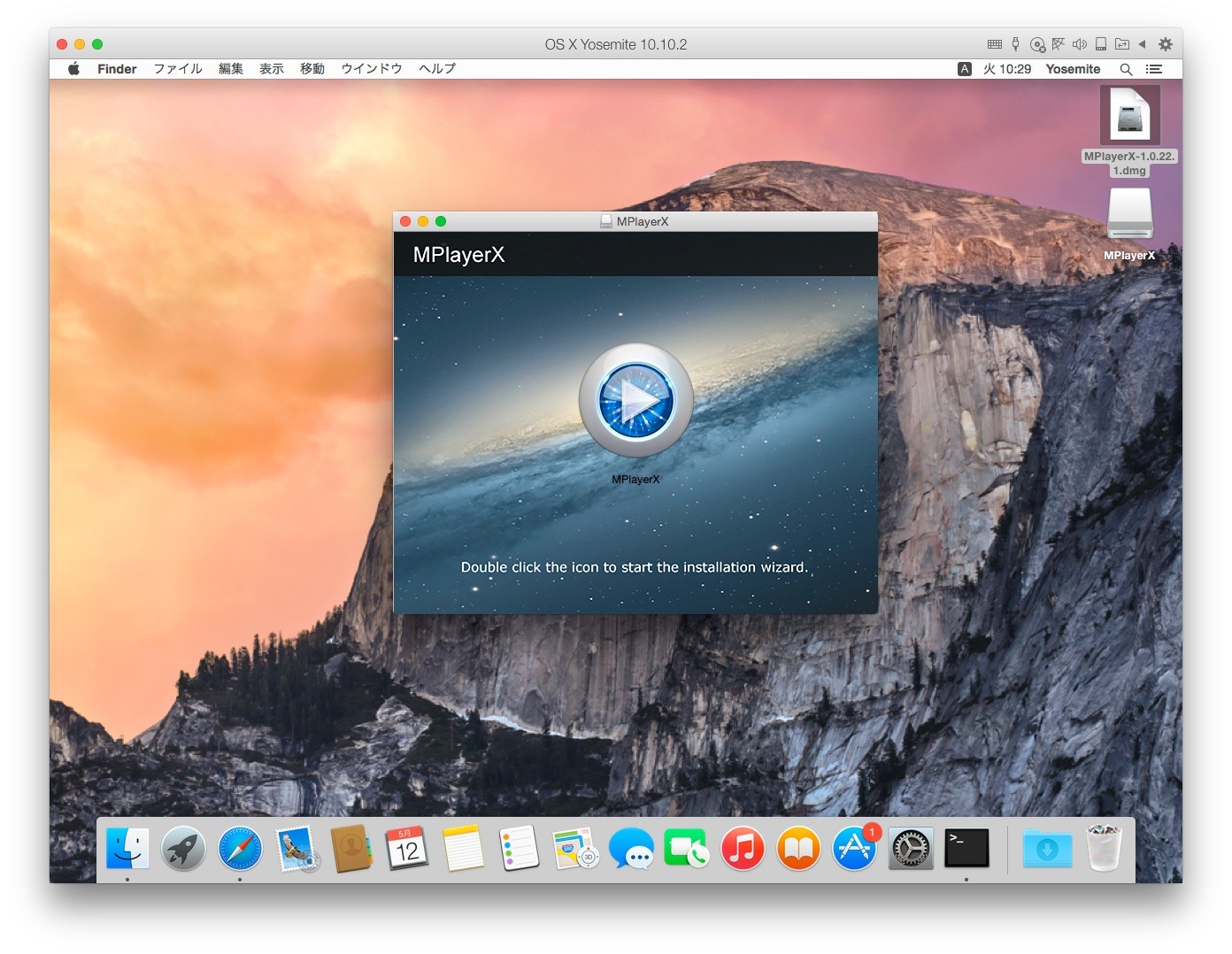
結果はThe Safe Macの指摘通り、マルウェアやアドウェアがインストールされること無くインストールプロセスが終了し、MPlayerXのみがインストールされました。
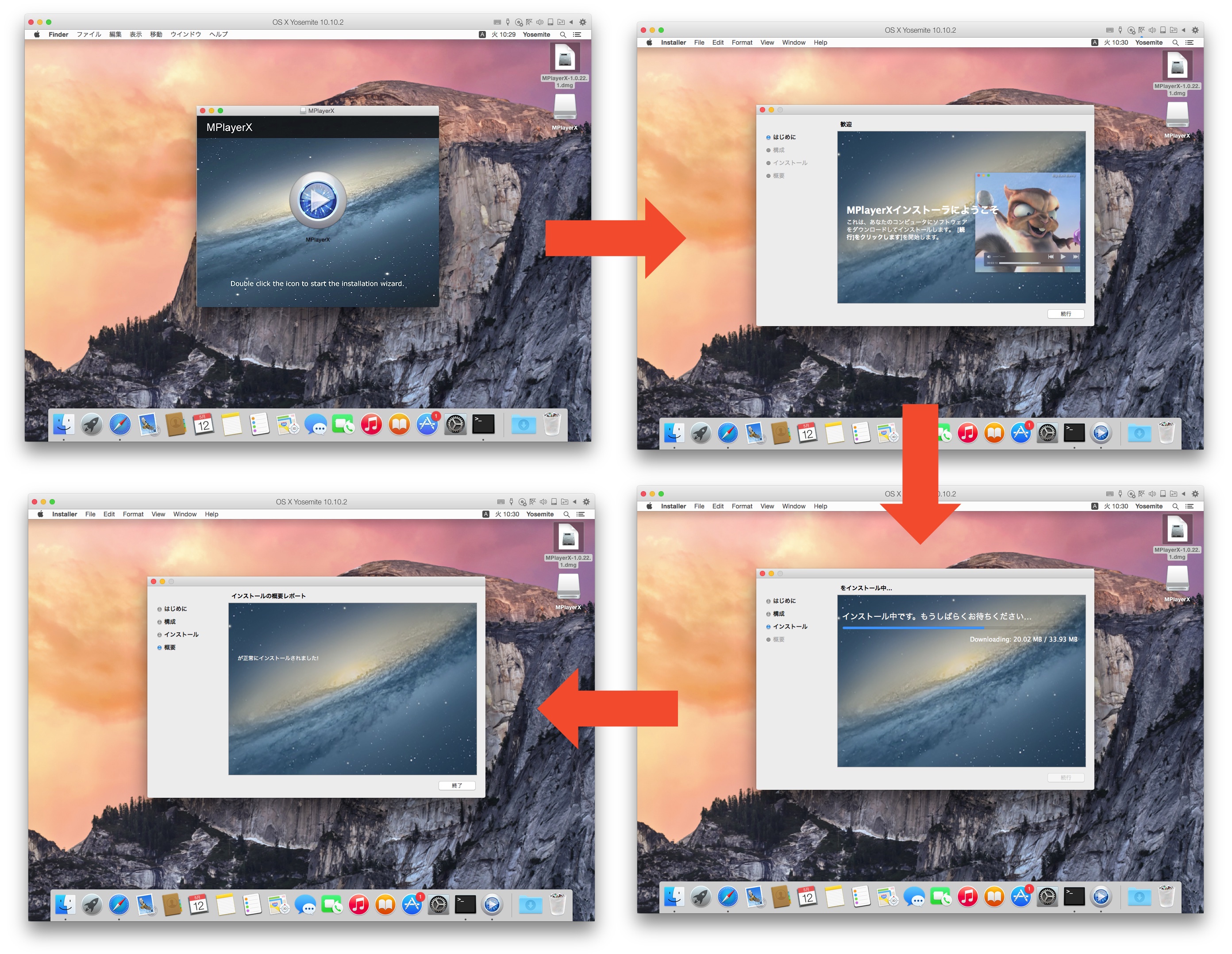
次に実際のMacBookでParallels Desktopに使用したインストーラーと全く同じものを使用しインストールを始めたところ、構成のステップで"MacKeeper is an essential tool for your Mac"というMacKeeperの使用許諾同意ウィンドウが起動し、これに同意しないとMPlayerXがインストール出来ない様になっていました。
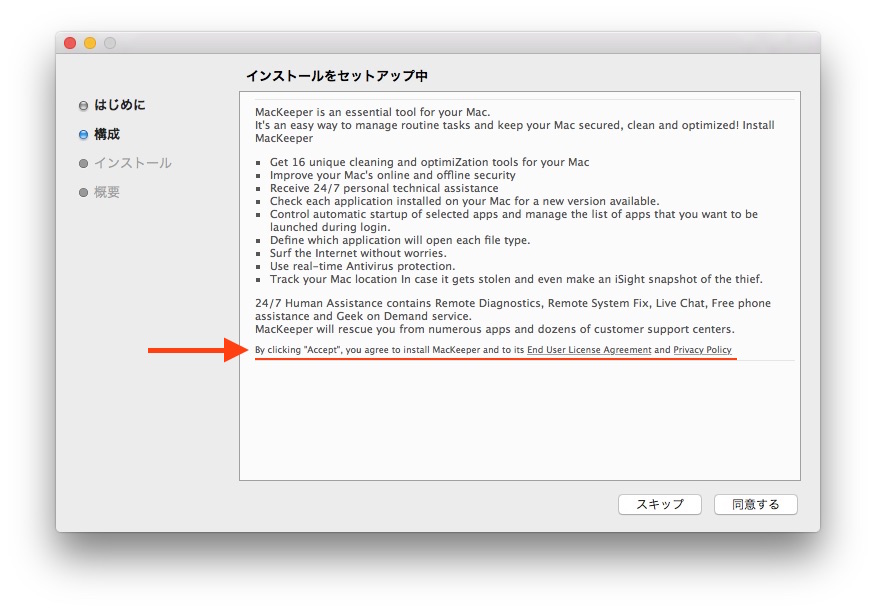
By clicking "Accept", you agree to install MacKeeper ...
実際のMacではMPlayerXのインストールが始まるまでにMacKeeper, ZipCloudの使用承諾同意書に同意させられ、
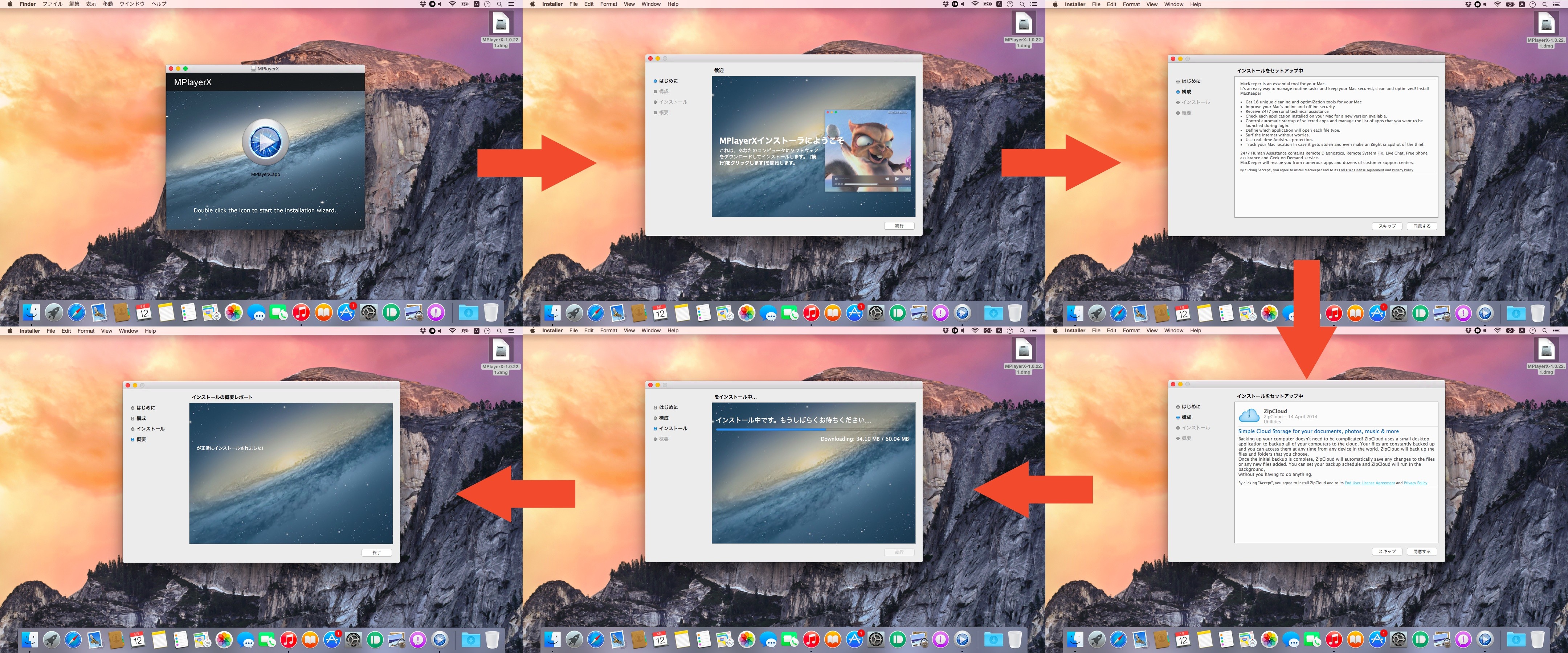
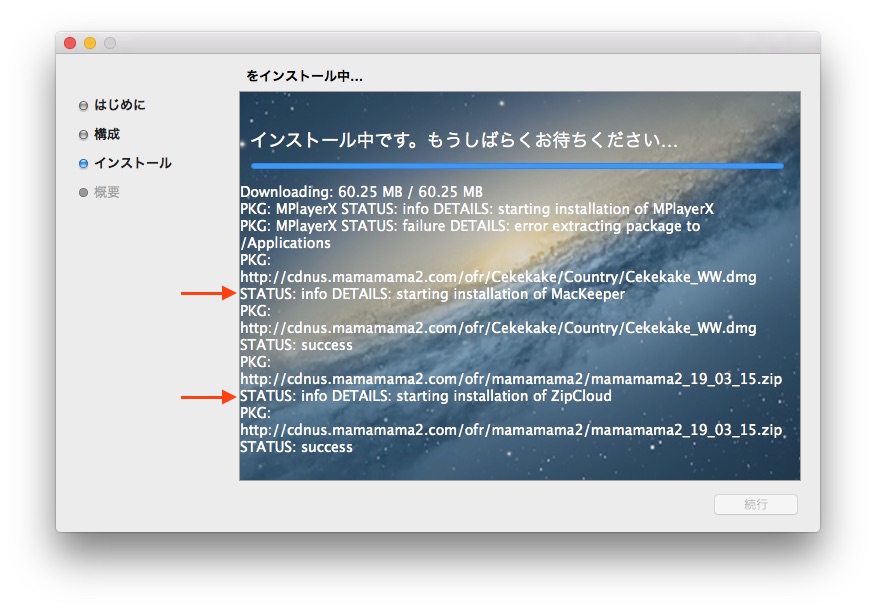
インストールのステップではCDN"cdnus.mamamama2.com"から最新のMacKeeperとZipCloudがダウンロードされインストールされました。
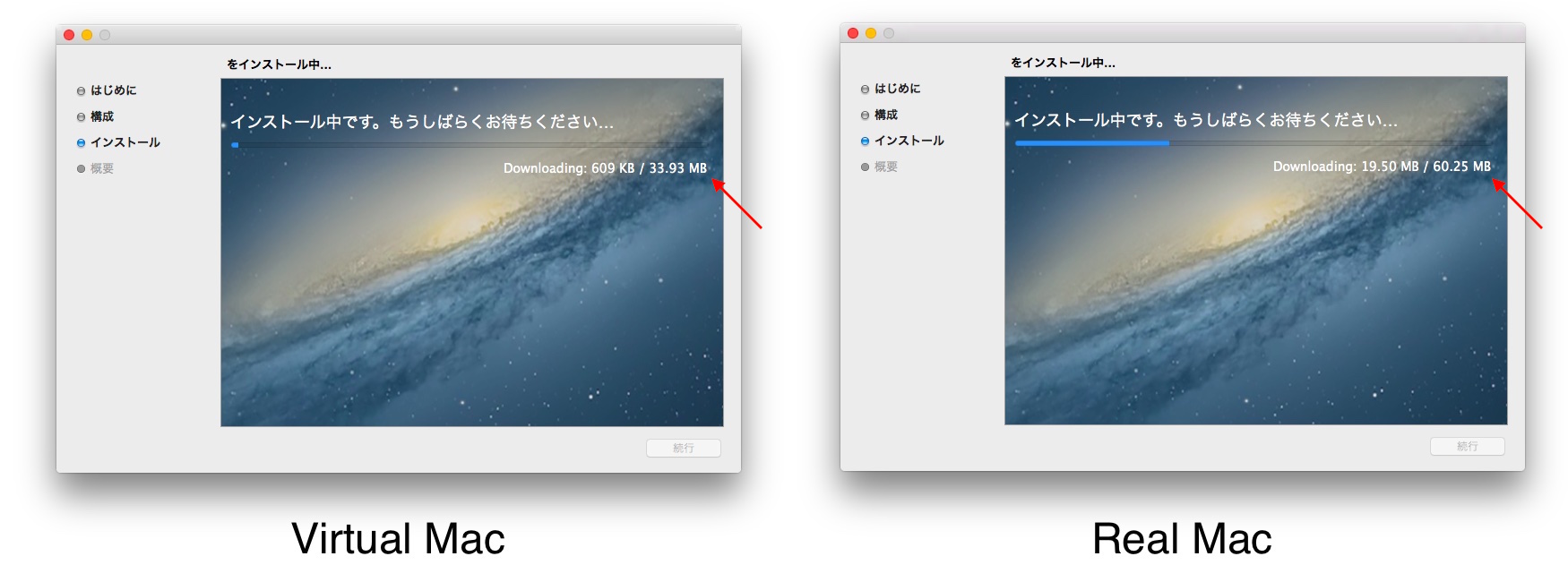
最終的にParallels Desktopに構築してあるMacと実際のMacとではインストールされるアプリに倍(33.93MBと60.25MB)程のサイズの違いがあり、実際のMacでこのインストーラーを使用するとMPlayerX以外の不要はアプリがインストールされていることが分かります。
このプロセスの変更は一見いい変更(MacKeeperやZipCloudがインストールされないので)かのように見えますが、The Safe MacのThomas Reedさんは「マルウェア研究者は多くのの場合仮想マシンにマルウェアをインストールし実行させます。これはマルウェアを隔離でき、システムを簡単に元の状態に戻すことができるからです」とコメントしており、これによりユーザーやセキュリティ研究家の目をごまかすためだと推測しているようで、既にこの事をAppleのセキュリティーチームに報告し、XProtectセキュリティをアップデートする様にアドバイスしたそうです。
A more common trick, though, is to simply act normal. Malware that detects that it is being run in a virtual machine, for example, will not display any malicious behaviors. This is done because malware researchers often run malware in a virtual machine, because this isolates the malware and makes it easy to store the system’s infected state for later reference or revert the system to a previous state.
[MPlayerX adware behaving like malware! - The Safe Mac]
関連リンク:
・Adwareに感染したMacからAdwareと関連ファイルを検索&削除してくれるMac用アプリ「AdwareMedic」を使ってみた
・AV-TEST、Mac用 総合ウィルス対策アプリ10製品を比較したデータを公開。アプリによってはOS Xのパフォーマンスにも影響
コメント一覧
>>1.-
Apple7743
-
マルウェアのM
>>2.-
Apple7743
-
やっぱこれそうだったんだ、この前クリーンインストールでMPlayer X入れようとして、見事に糞ソフトが入って失敗したw
今後MPlayerXはParallelsなどでインストールして、実行ファイルのみを実機にコピーして使えばOK。
ていうか、もはや完全にウイルス化してる...
>>3.-
Apple7743
-
数年前は定番アプリぽいイメージだったけど
公式のインストーラーにマルウェアが含まれているんですか?
>>4.-
Apple7743
-
まじかこれ…まあ専らextendedのほうしか使わんけど
>>5.-
Apple7743
-
公式からダウンロードすると、ESETでは、マルウェアとして弾かれるな、
>>6.-
Apple7743
-
App StoreでMPlayerX見たら公式サイトからインストーラを落とすようにとURLを記載して誘導しててワロタ
>>7.-
Apple7743
-
不要はアプリが
>>8.-
Apple7743
-
買っててよかったmovist
>>9.-
Apple7743
-
マジかよ、Mplayerx使ってるけどもう使わんわ
>>10.-
Apple7743
-
mpv.appに入れ替えた
>>11.-
Apple7743
-
だから韓国製は使うなって言ってるだろ
LINEしかりな
店員が犯罪者がやってると分かっててその店入るか?そういうことだ
コメントを書き込む